Product Designer
Jan 2026 – PresentUniversity Startup Project


An AI-Powered Training Experience for Golfers and Coaches.
Design of AI Glof is centered around turning swing analysis into clear guidance while supporting both independent practice and ongoing coach feedback.
Progress
High-Fidelity
Prototype
Collaborated with
- Project Manager
- Founder / Stakeholder


- AI-Powered Swing Analysis
- Actionable Improvement Tips
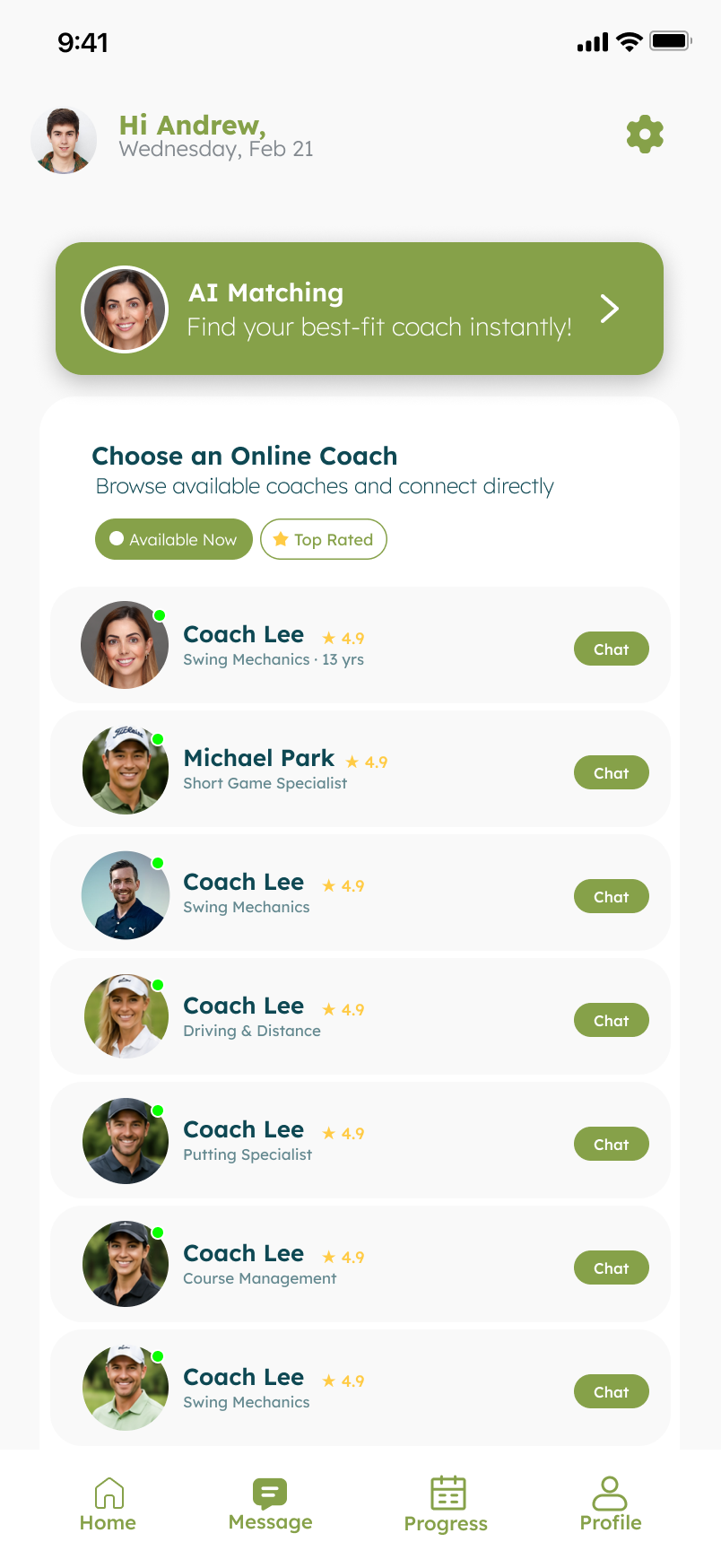
- Online Coach Matching & Support
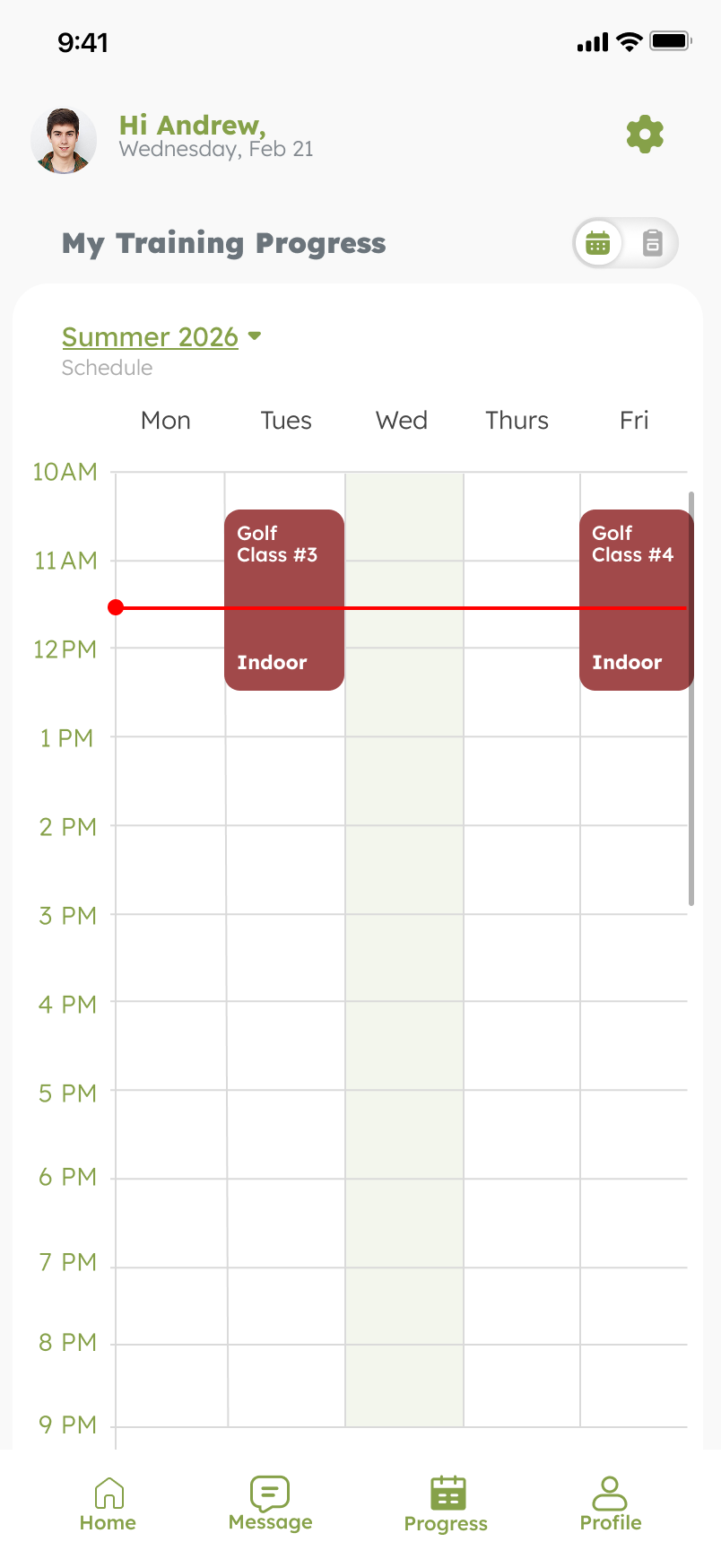
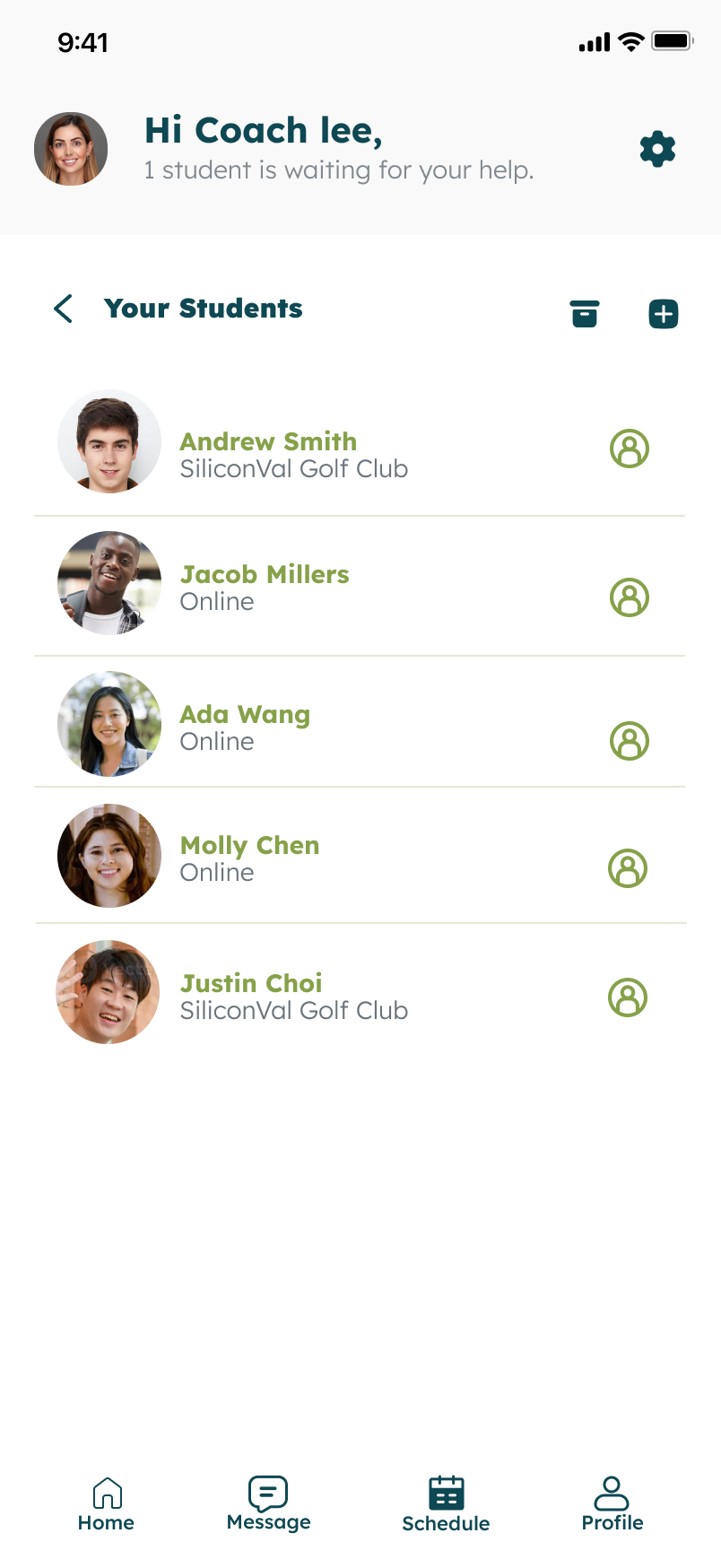
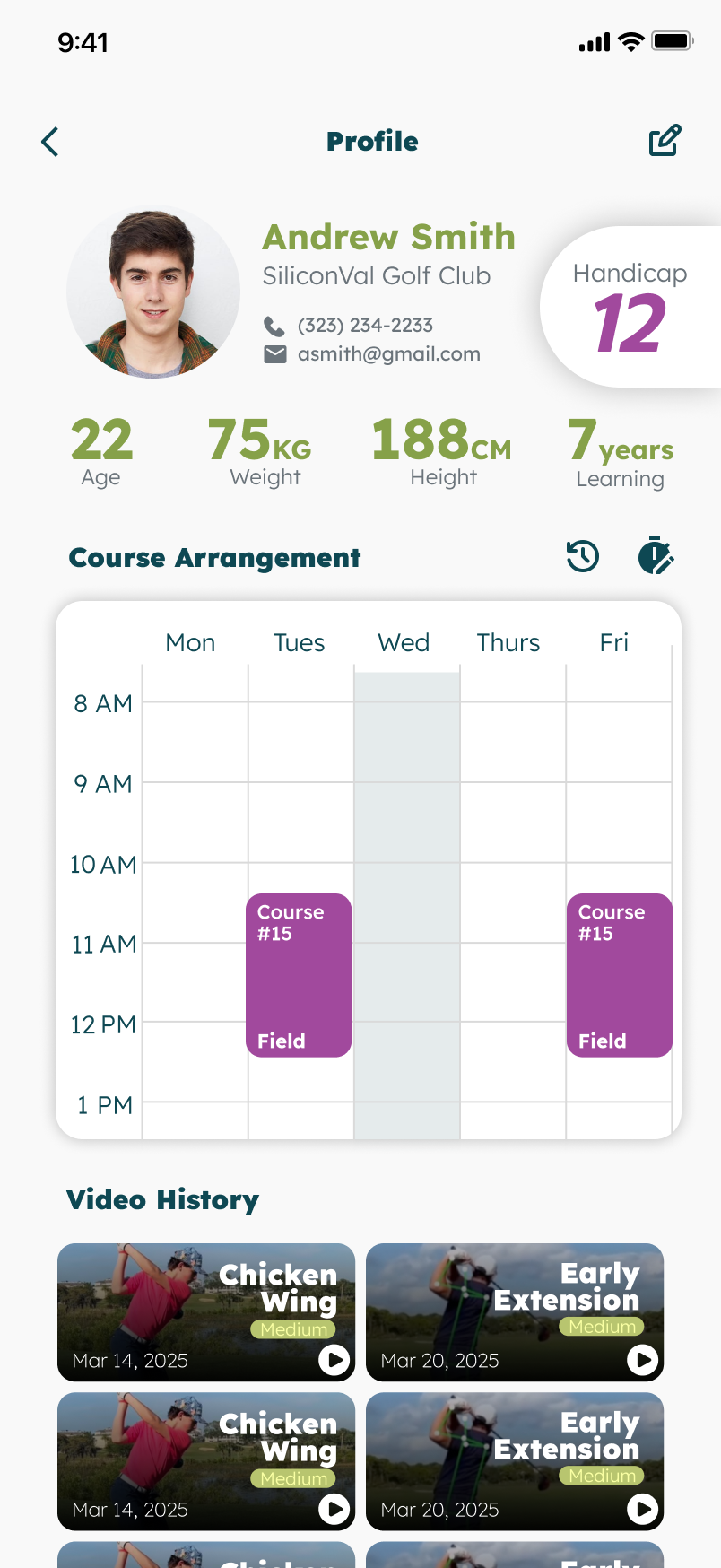
- Student & Lesson Management
- Guided Training Roadmap

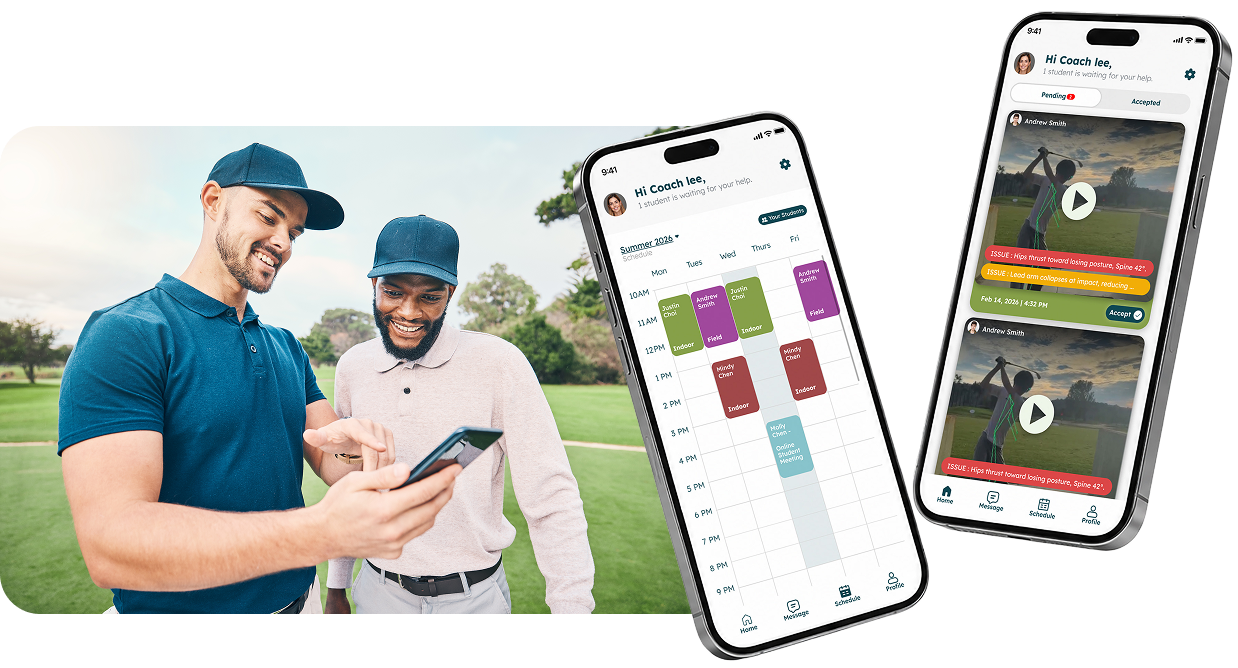
University Startup Project
Designed around connected coaching workflows.
A coach-first training platform connecting AI analysis, everyday practice, and professional feedback.
- Users
- Golfers and coaches
- Focus
- Connected training
01Core Experience

02 | UI Showcase & Flow Map
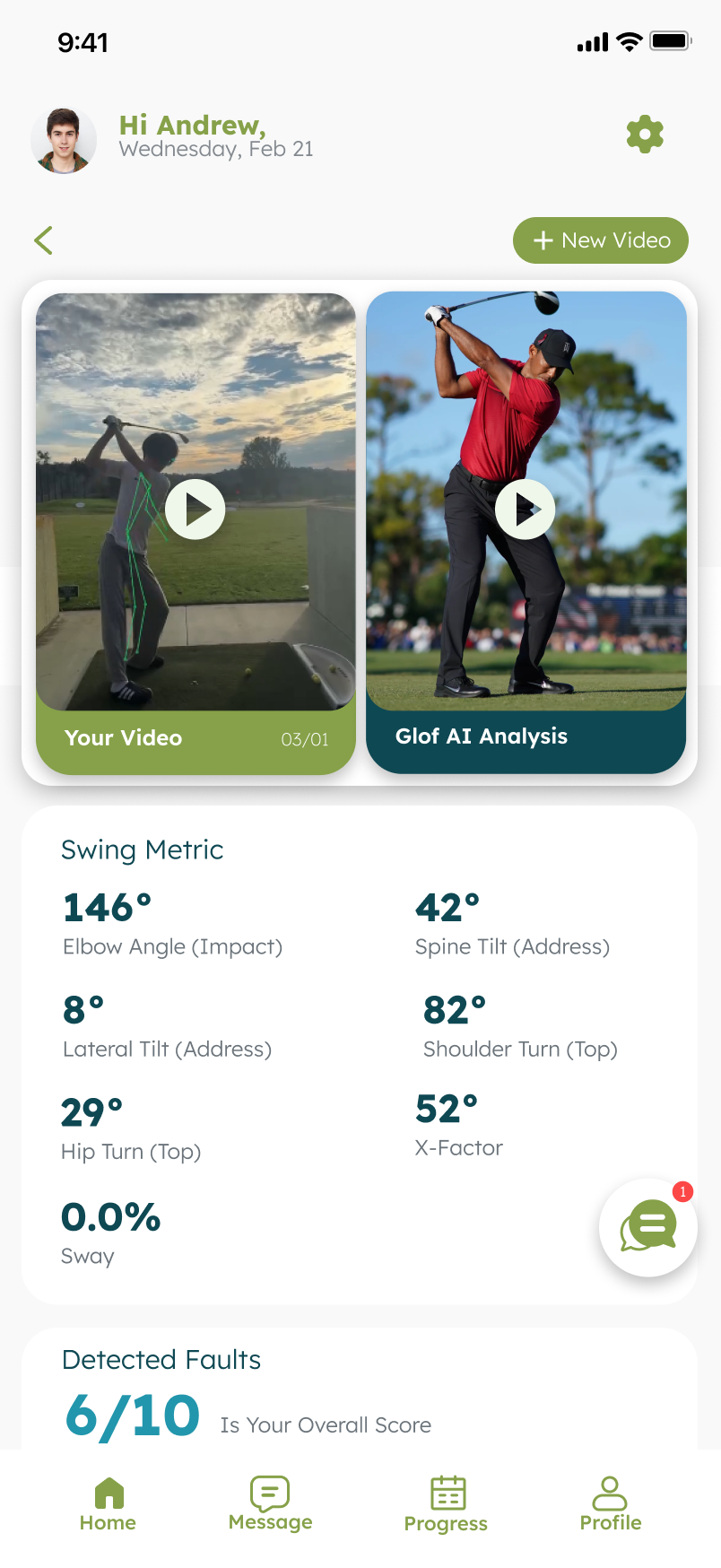
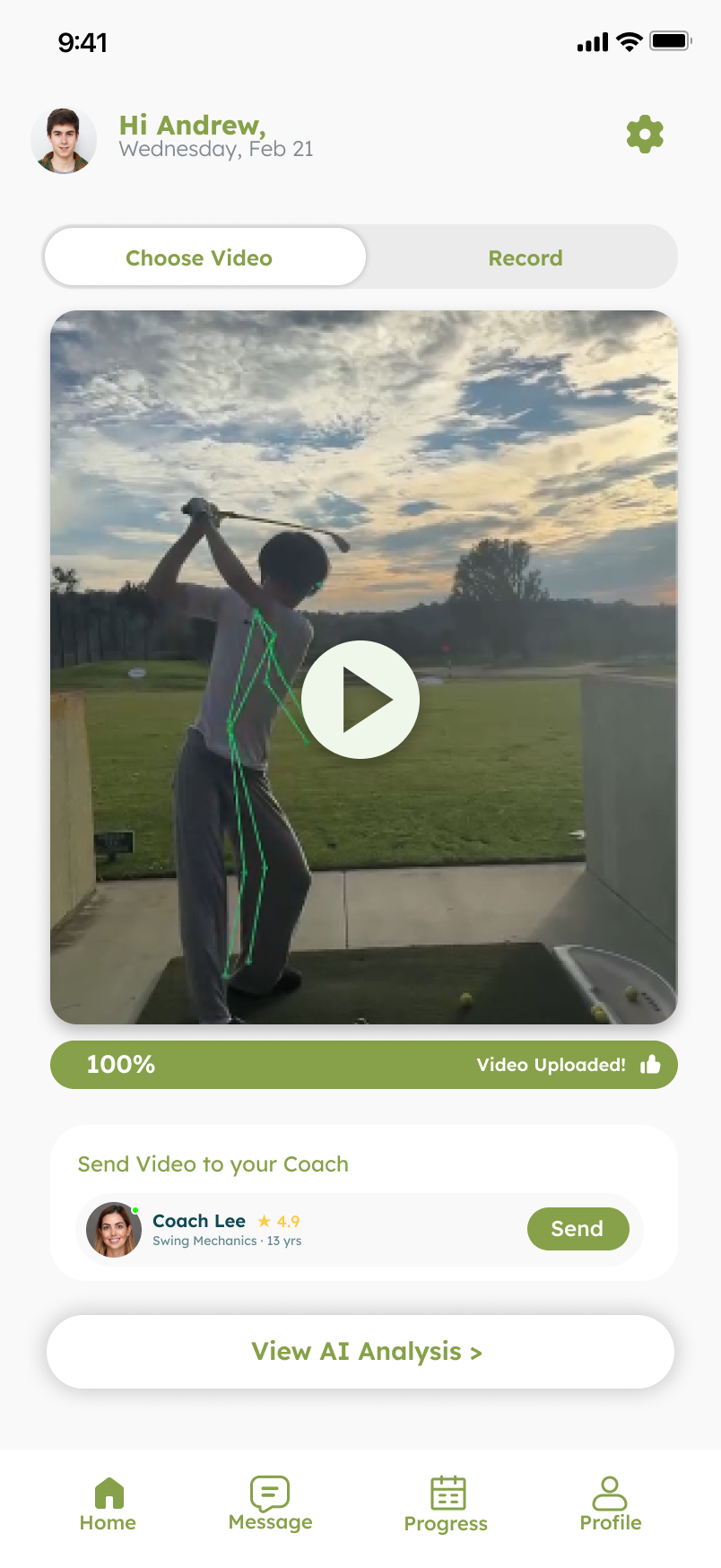
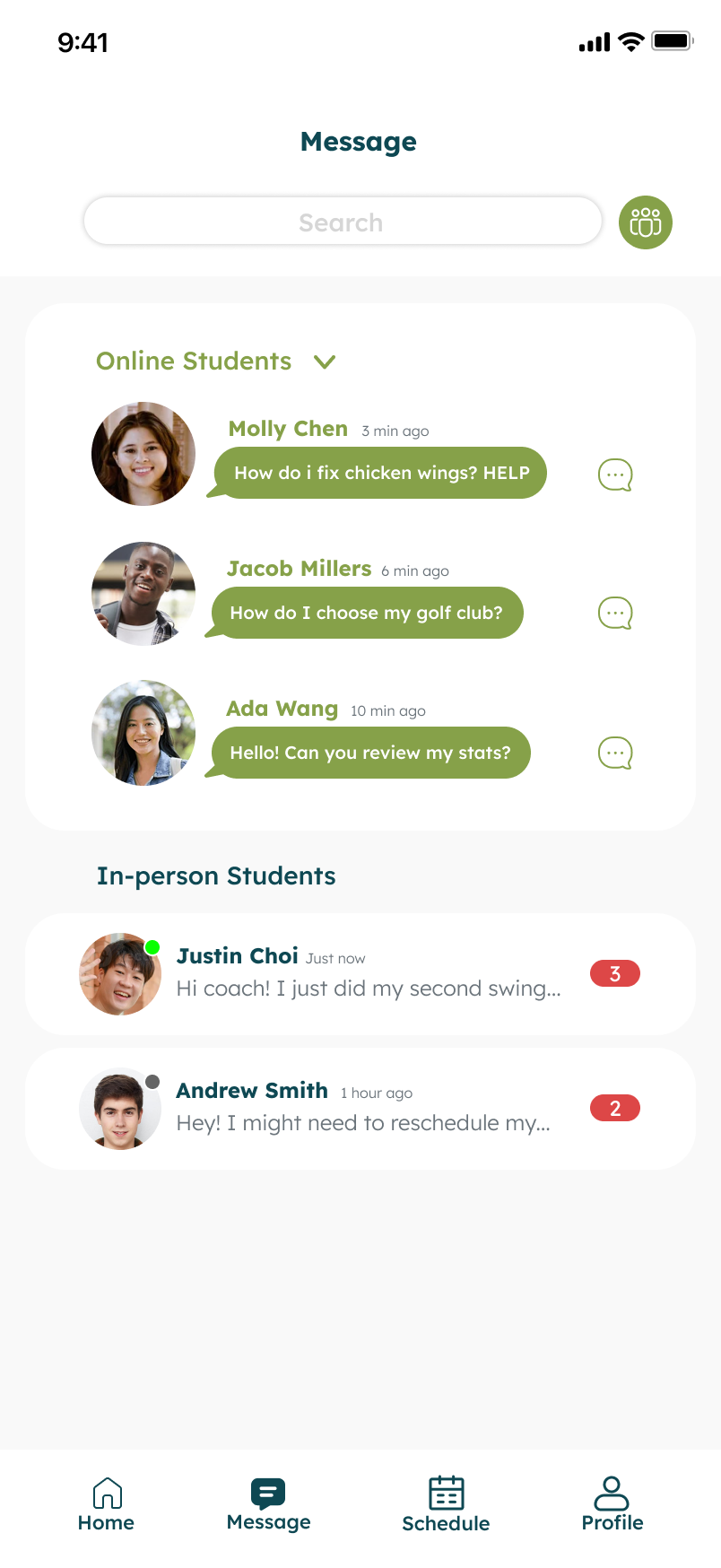
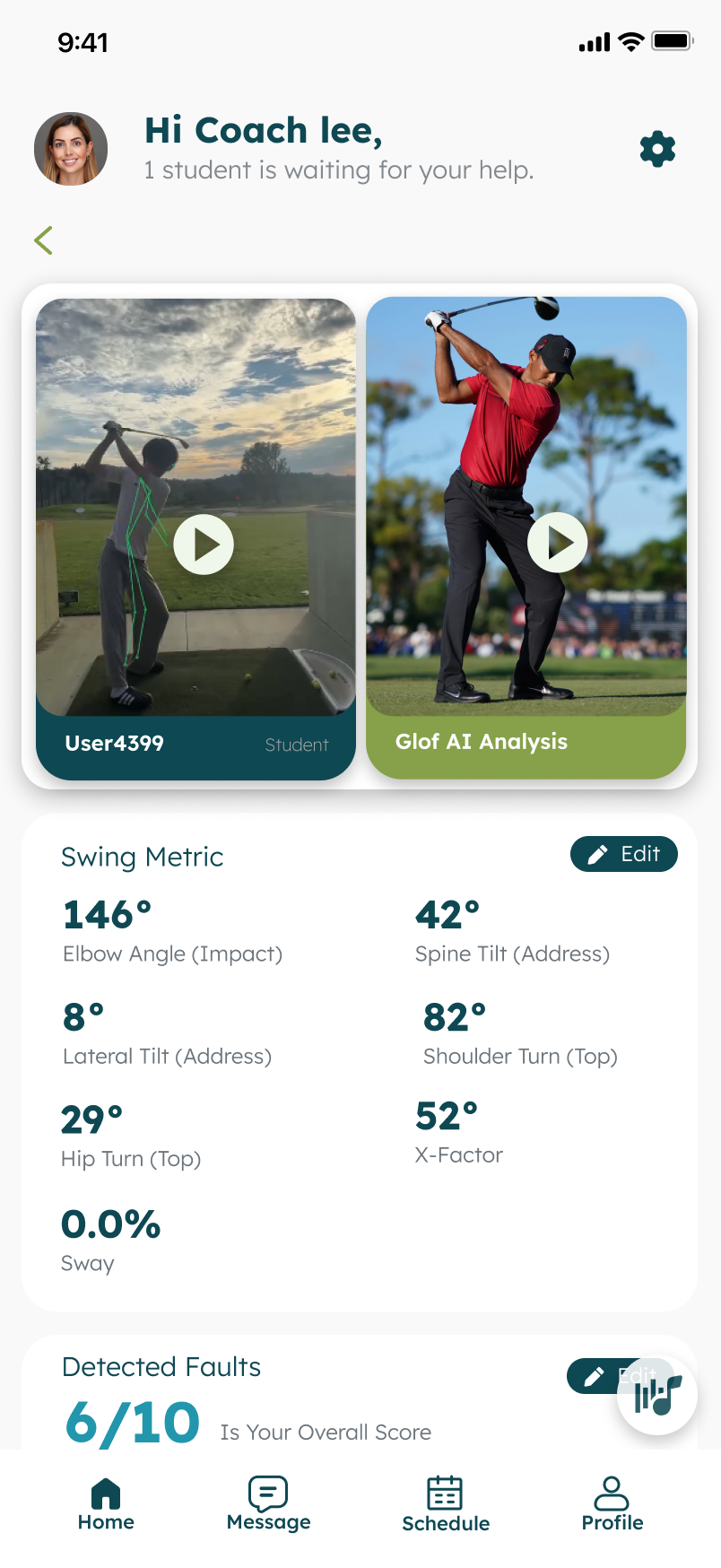
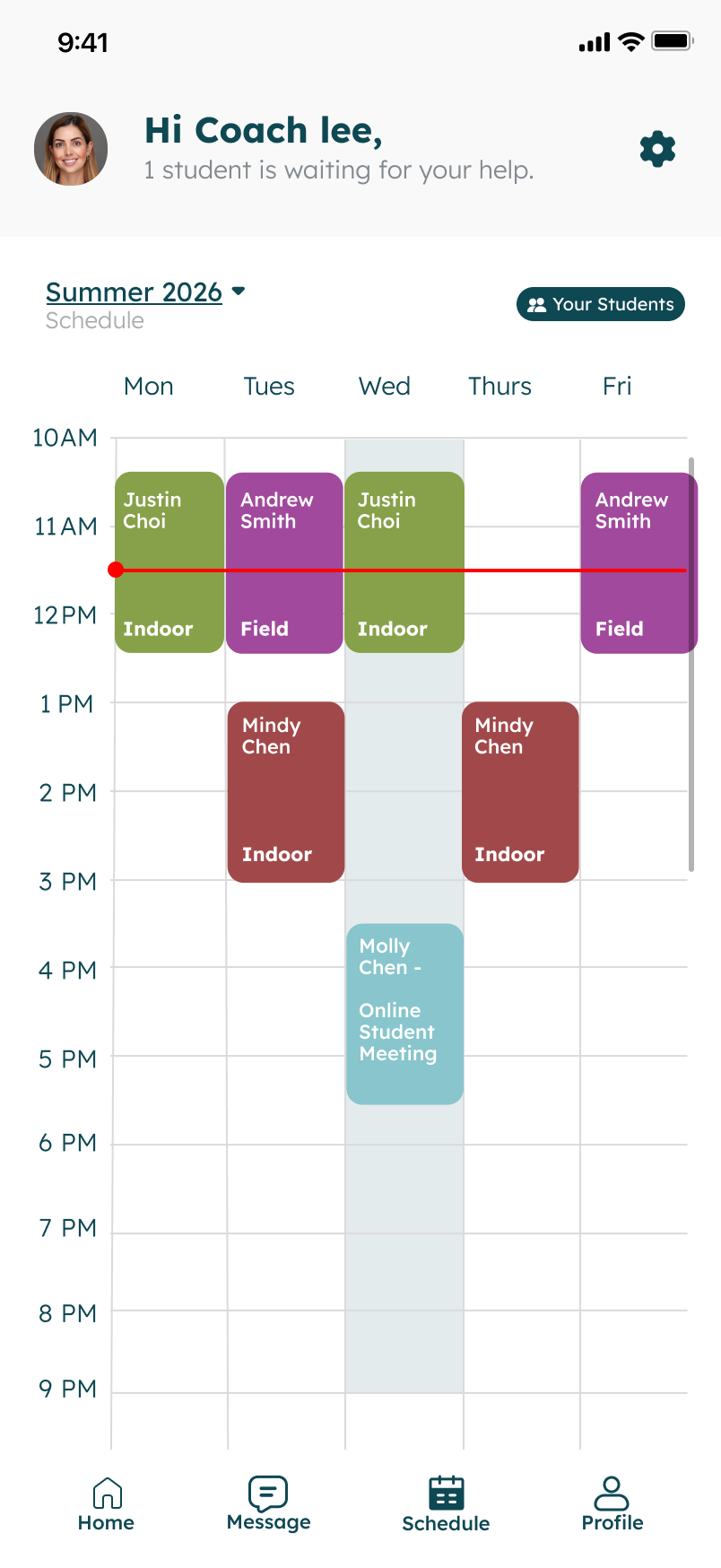
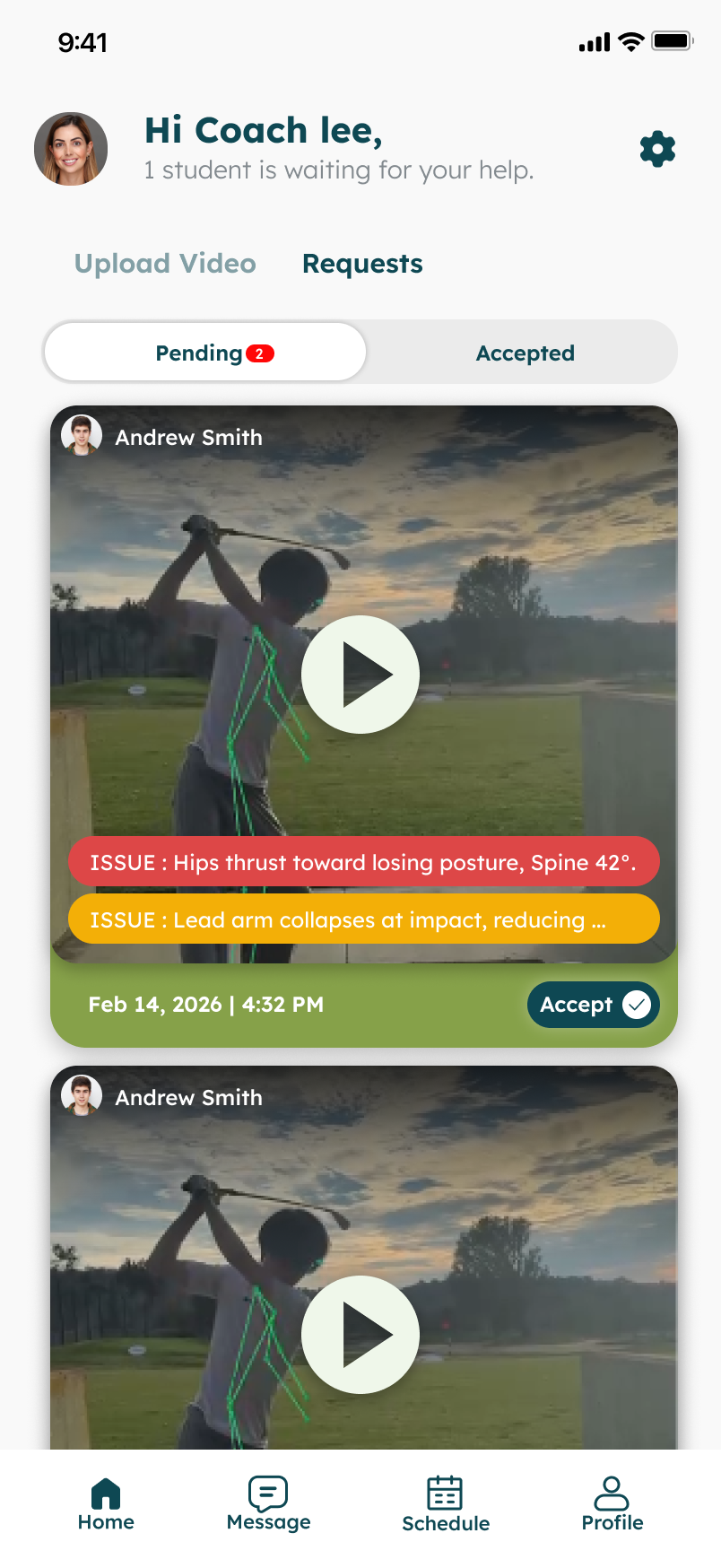
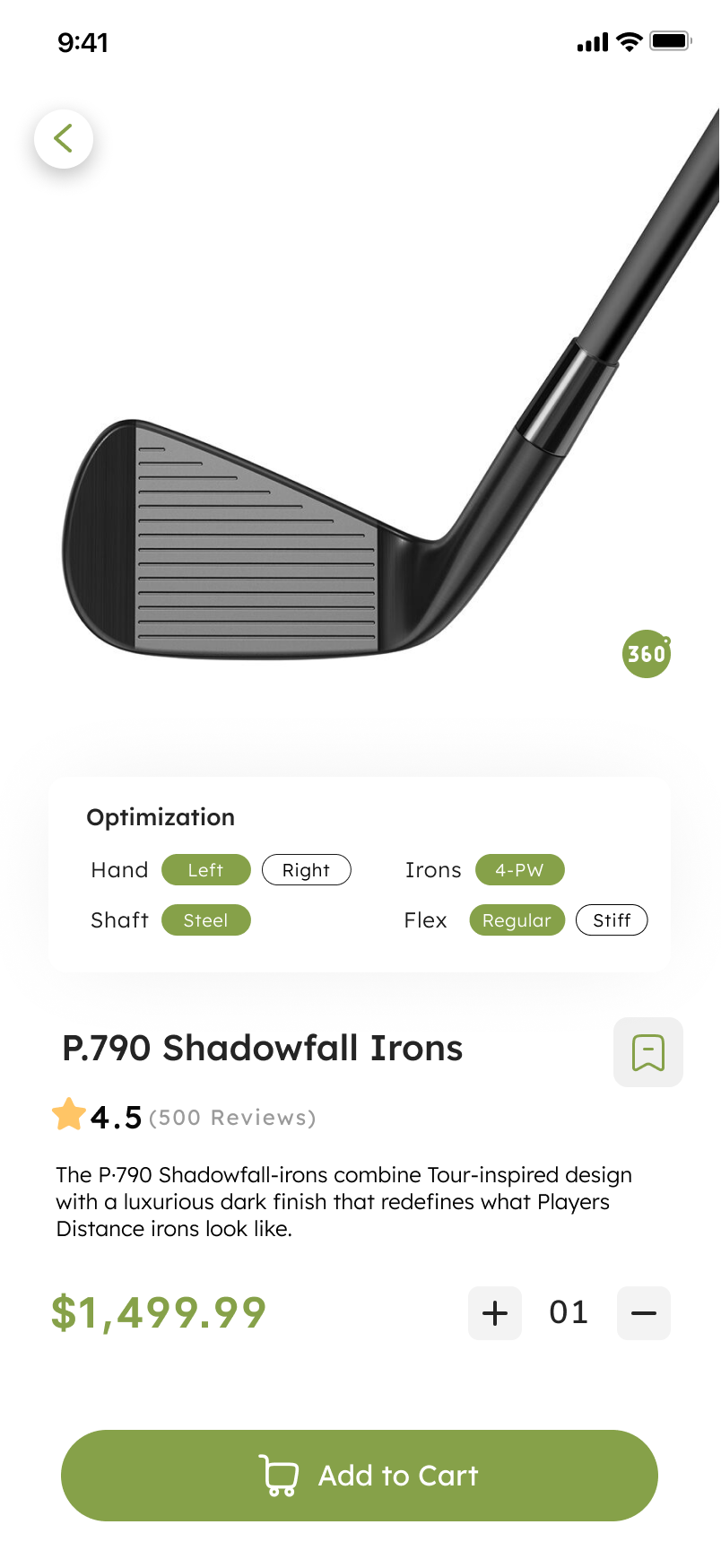
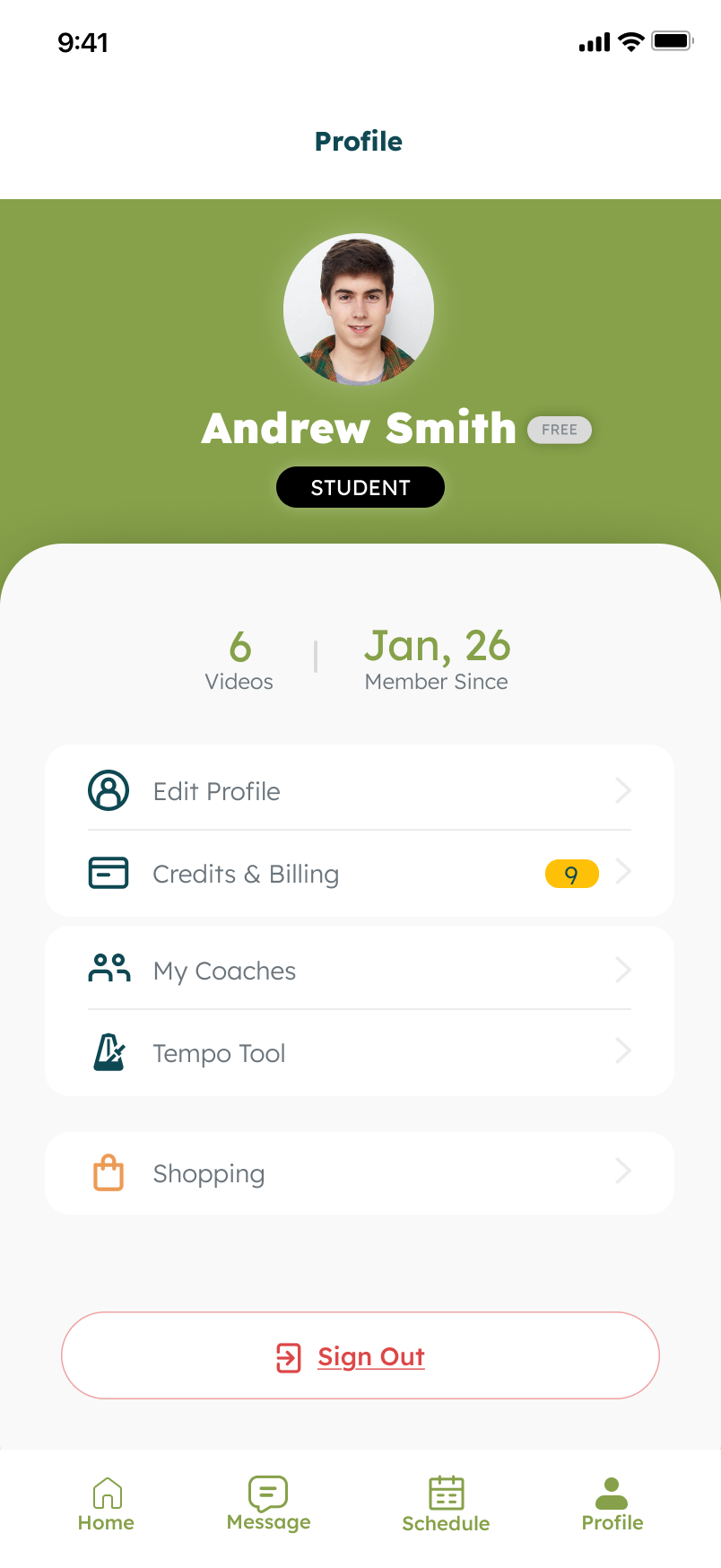
Two interfaces, one connected training loop.
Switch between the high-fidelity UI flow and the simplified product logic behind it.
Scroll or pinch
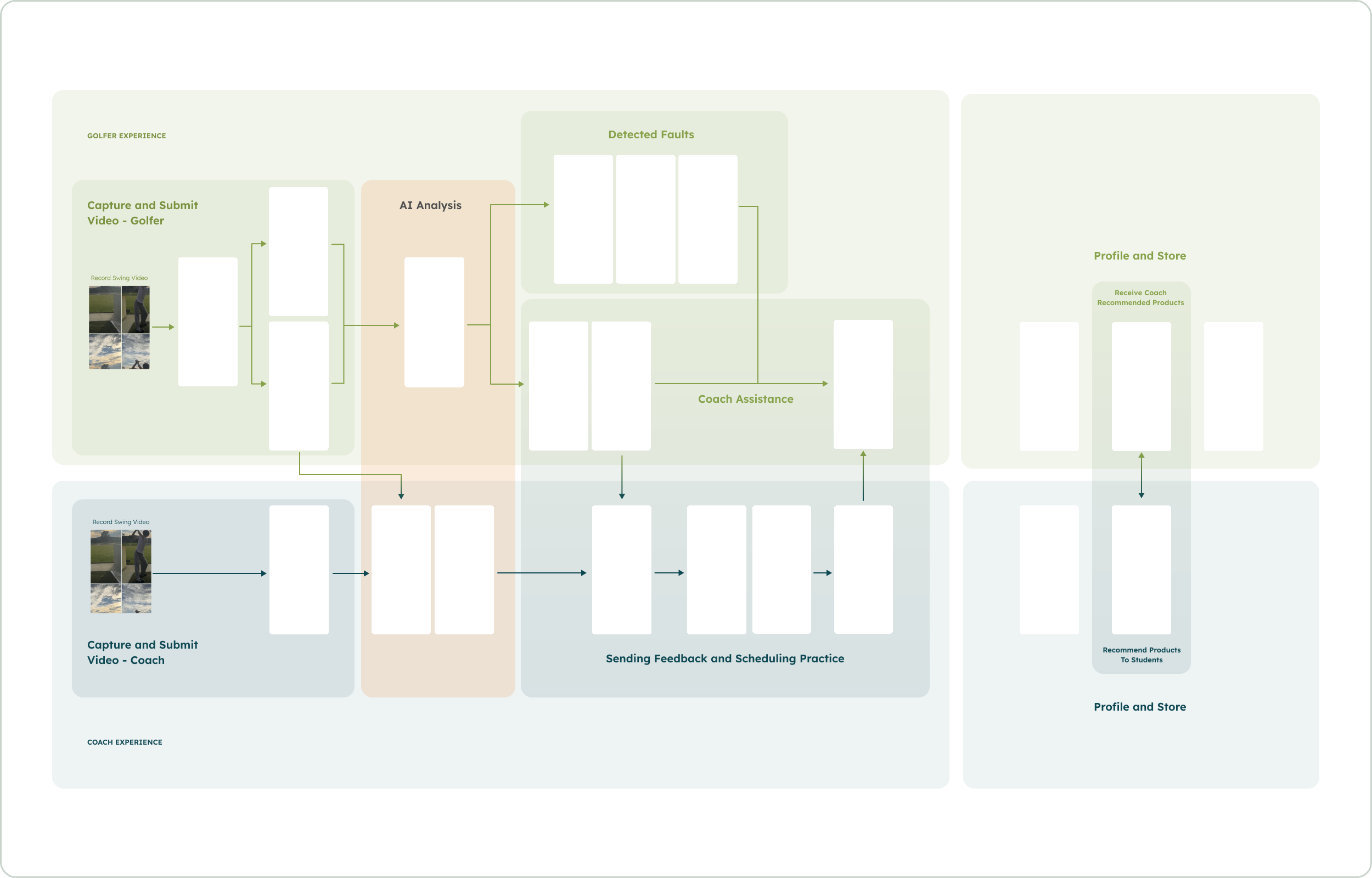
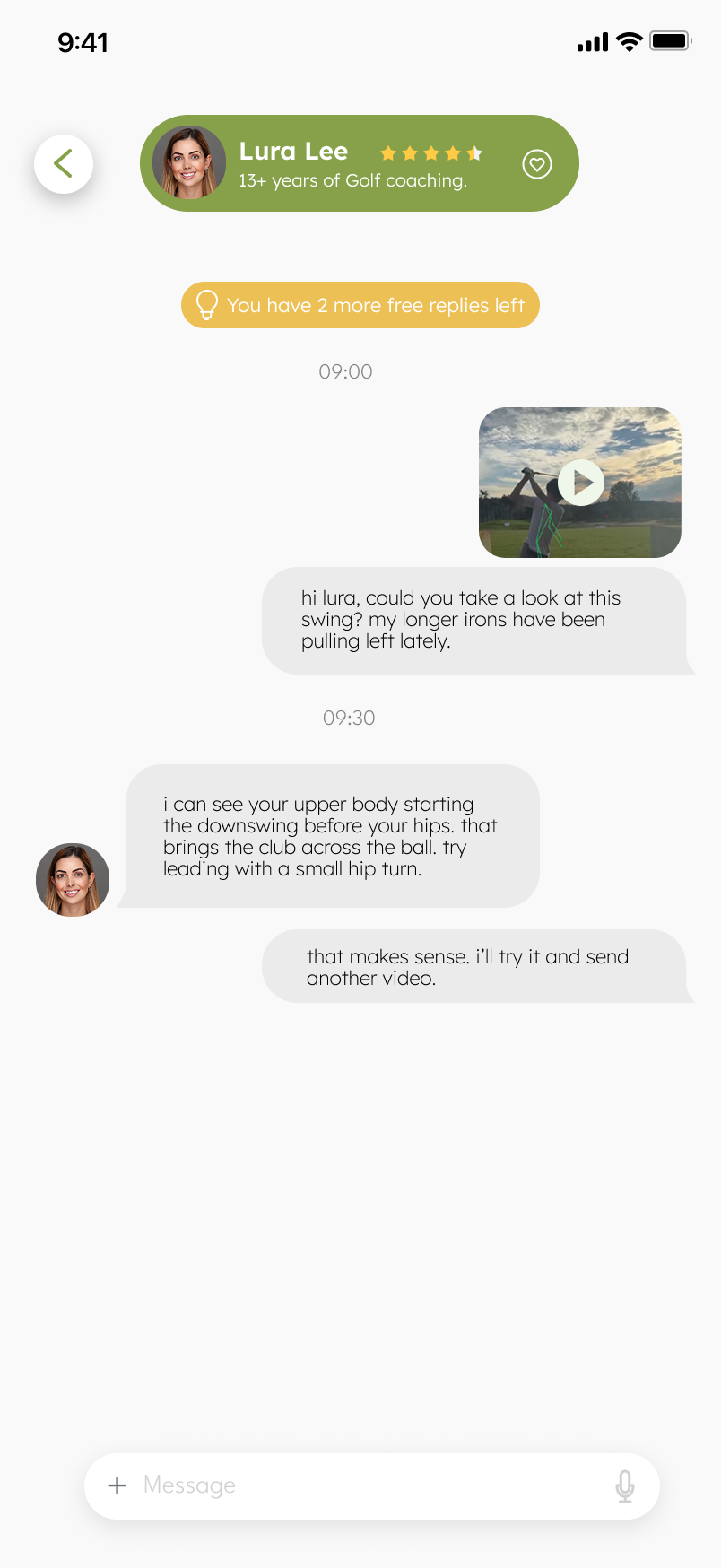
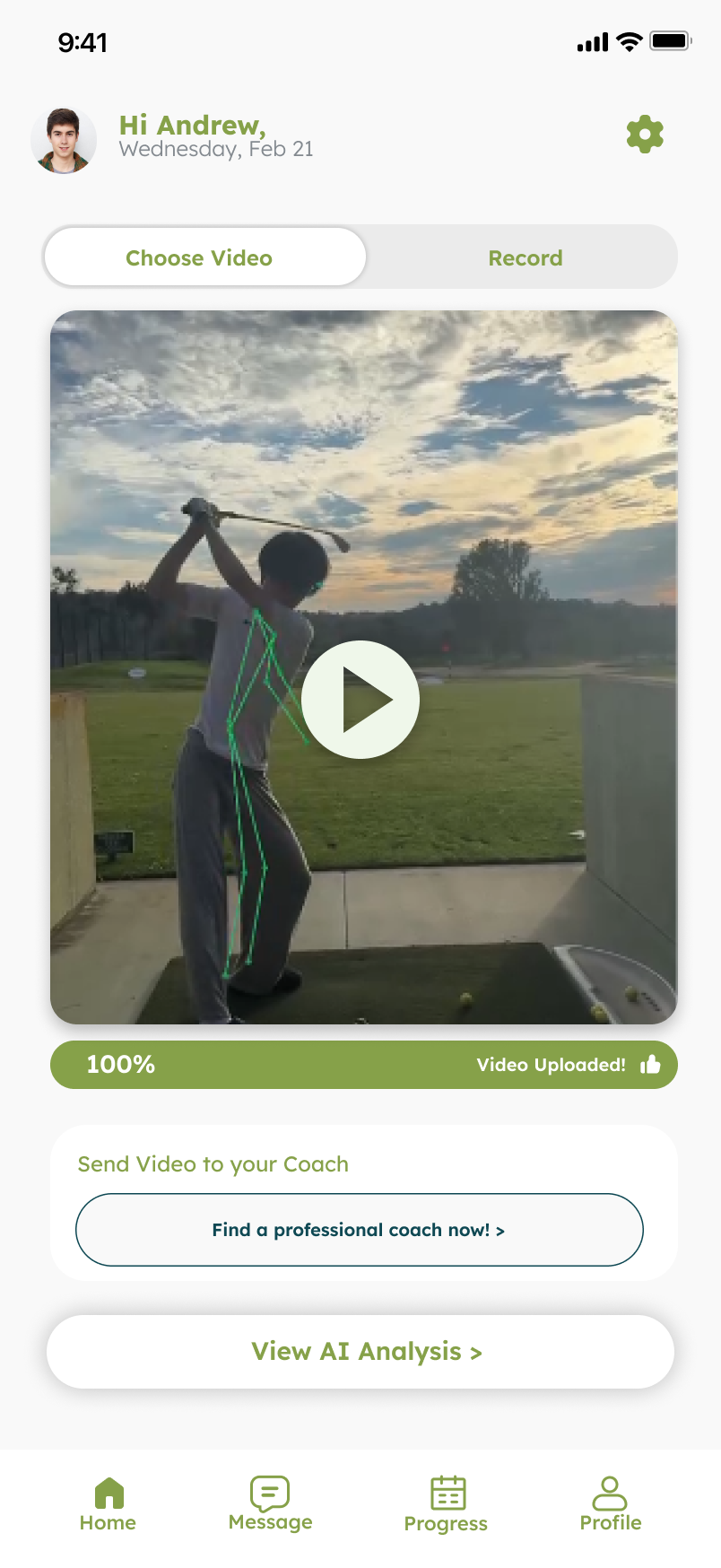
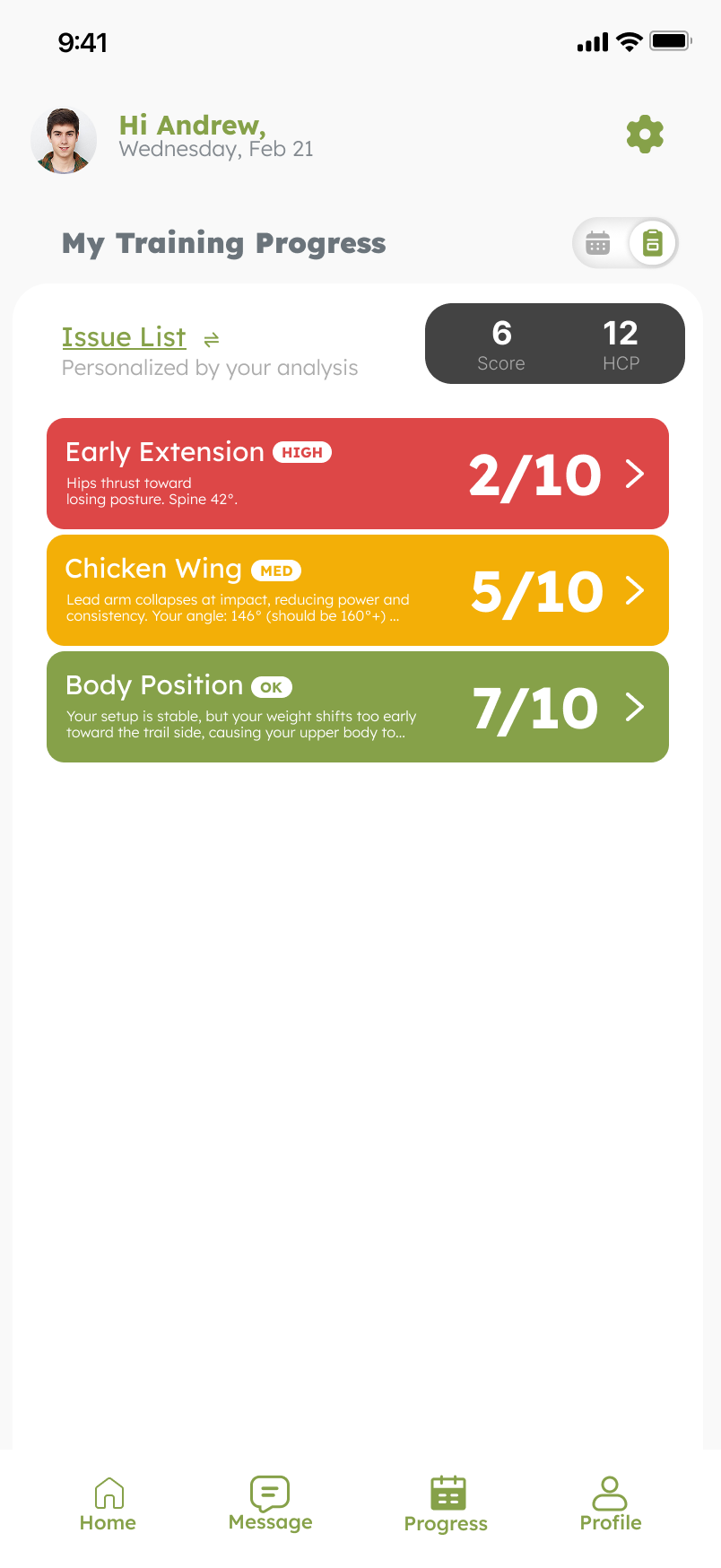
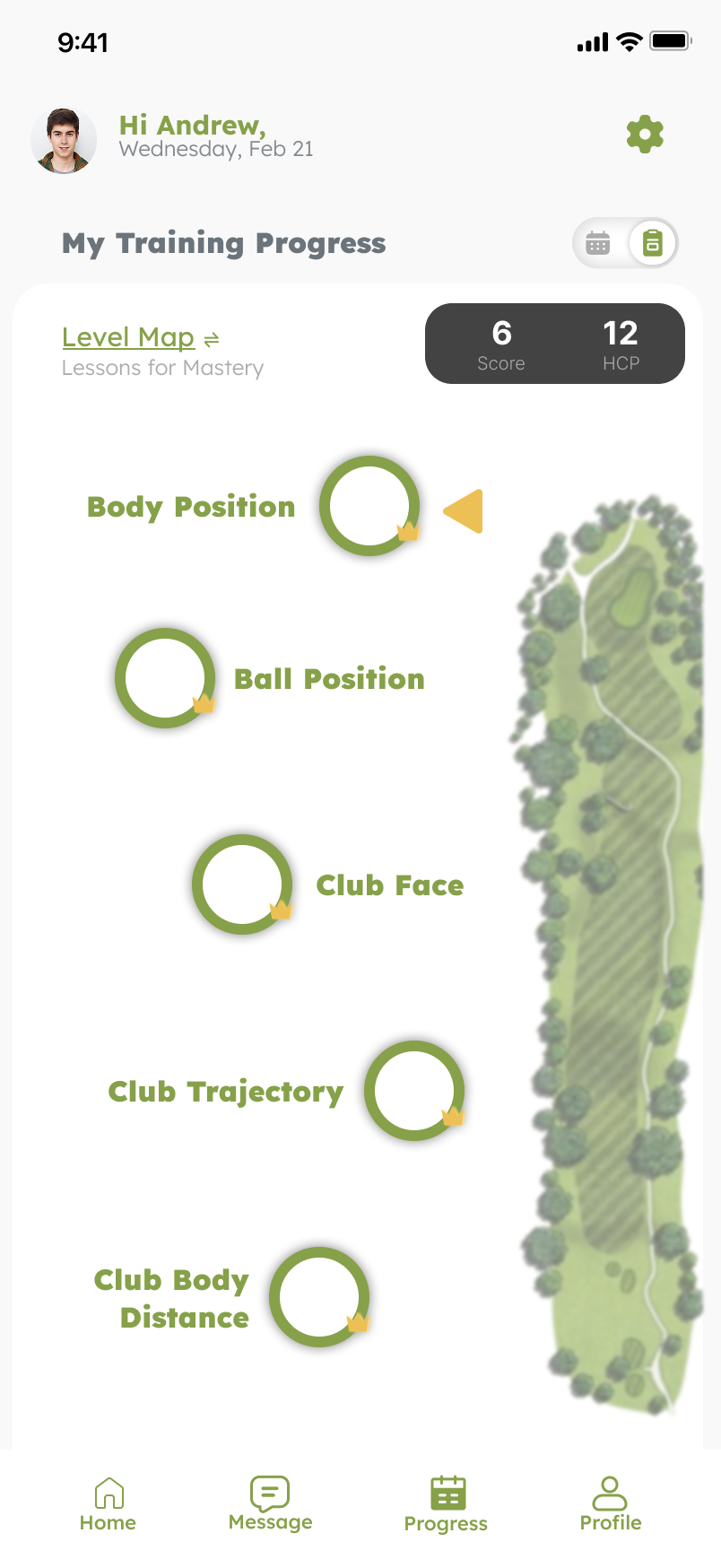
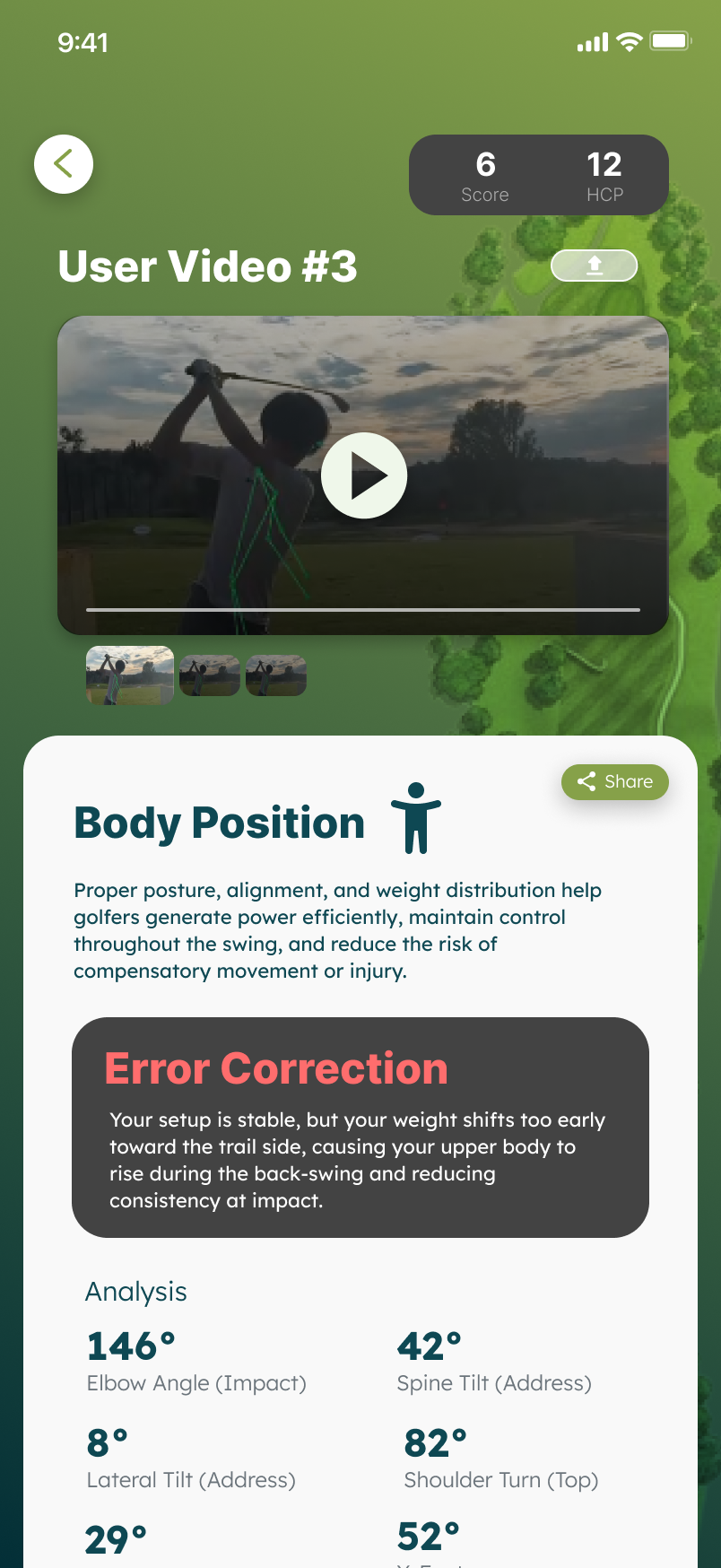
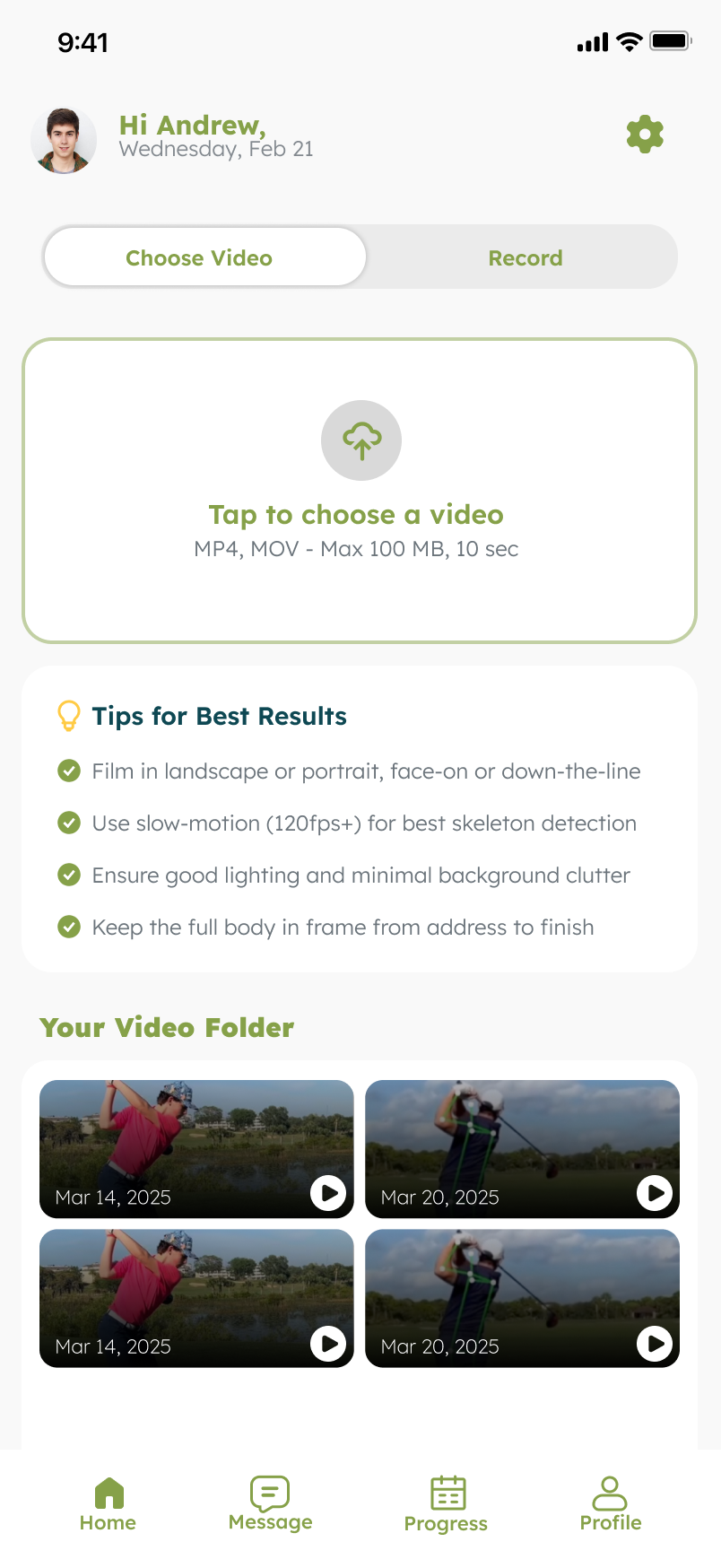


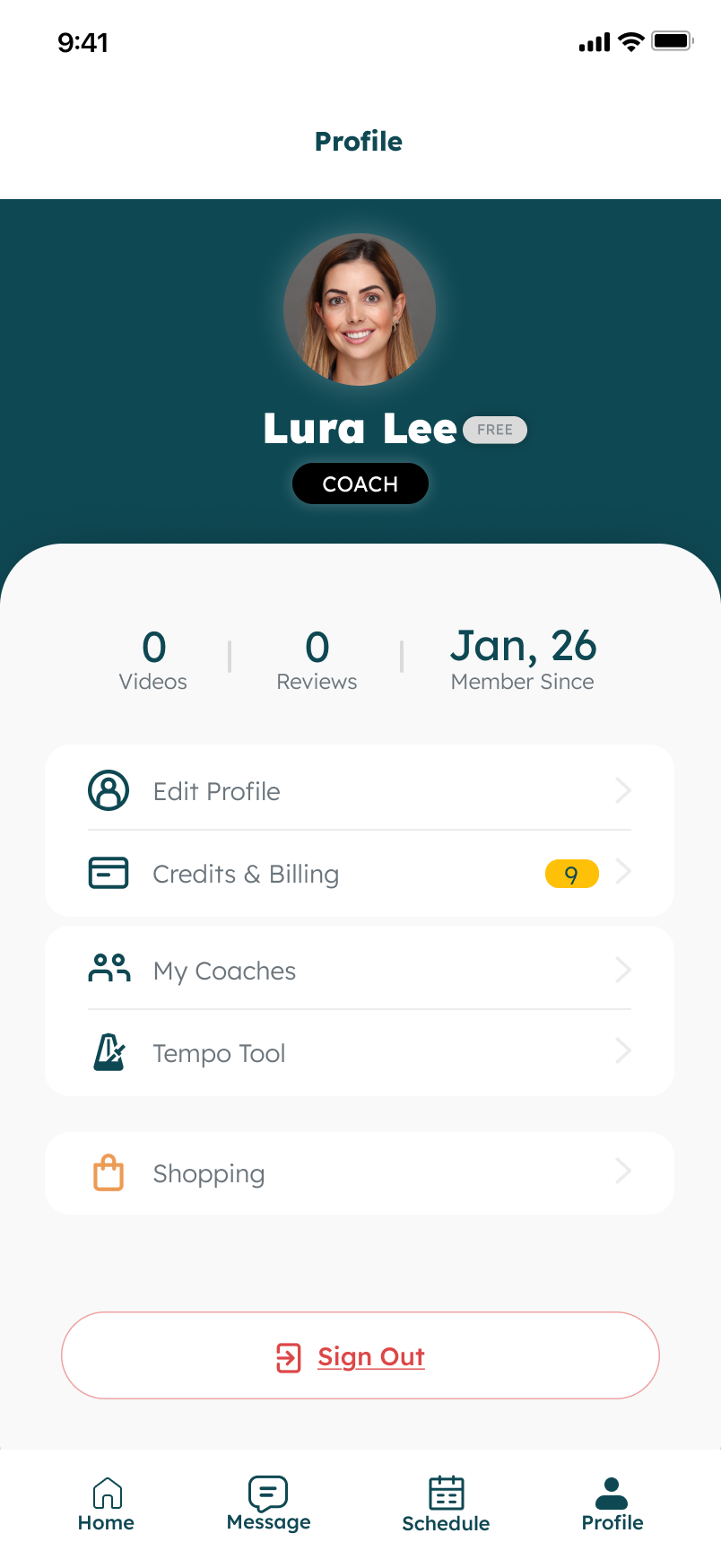
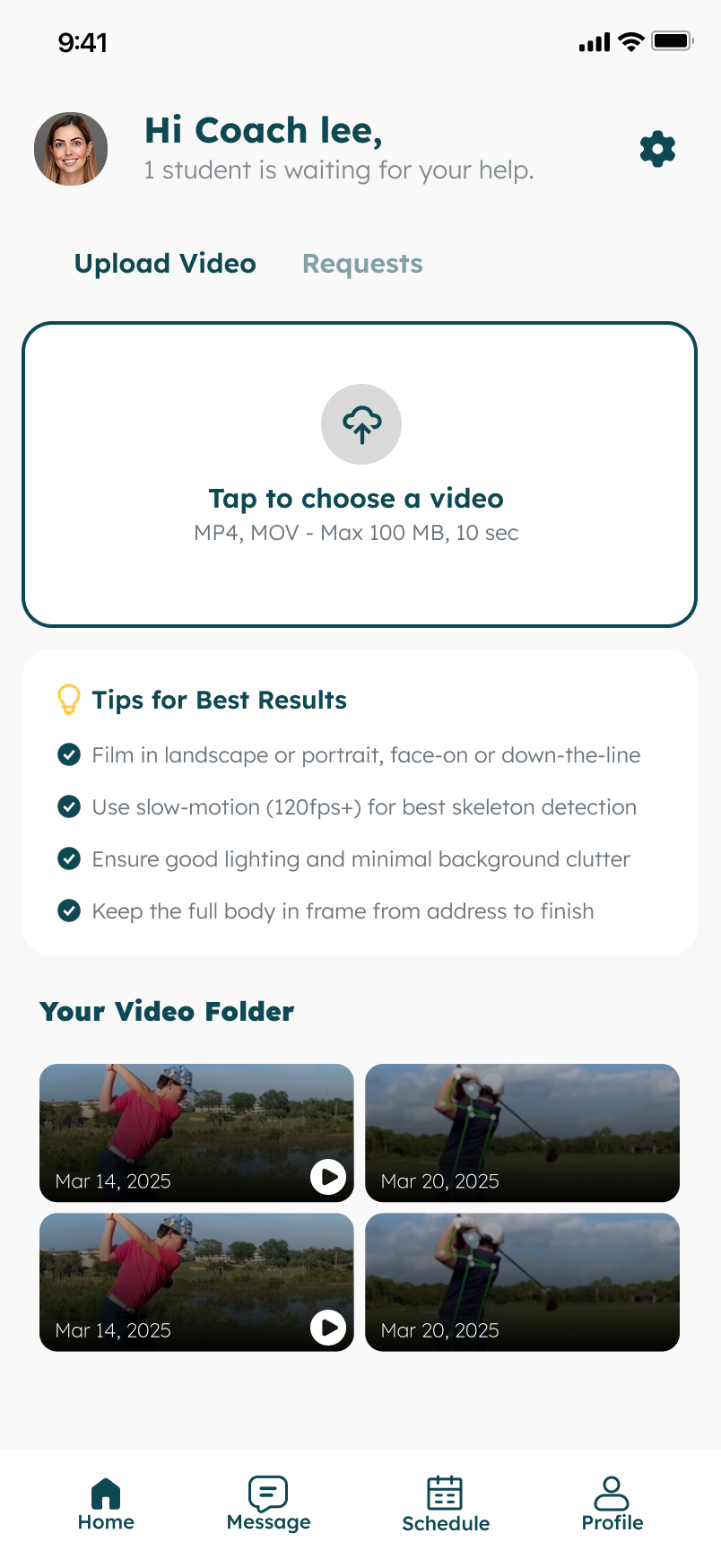
Scroll to zoom · Click and drag to move · Double-click to zoom in
03Design Decisions
How do I approach design decisions?
- 01
I begin by identifying the purpose behind each design brief, then translate it into an experience that feels natural from the user’s perspective and refine it through iteration.
- 02
Throughout refinement, I balance the brand’s visual language with practical usability and coherent interaction logic.
Example Case: Social Feature
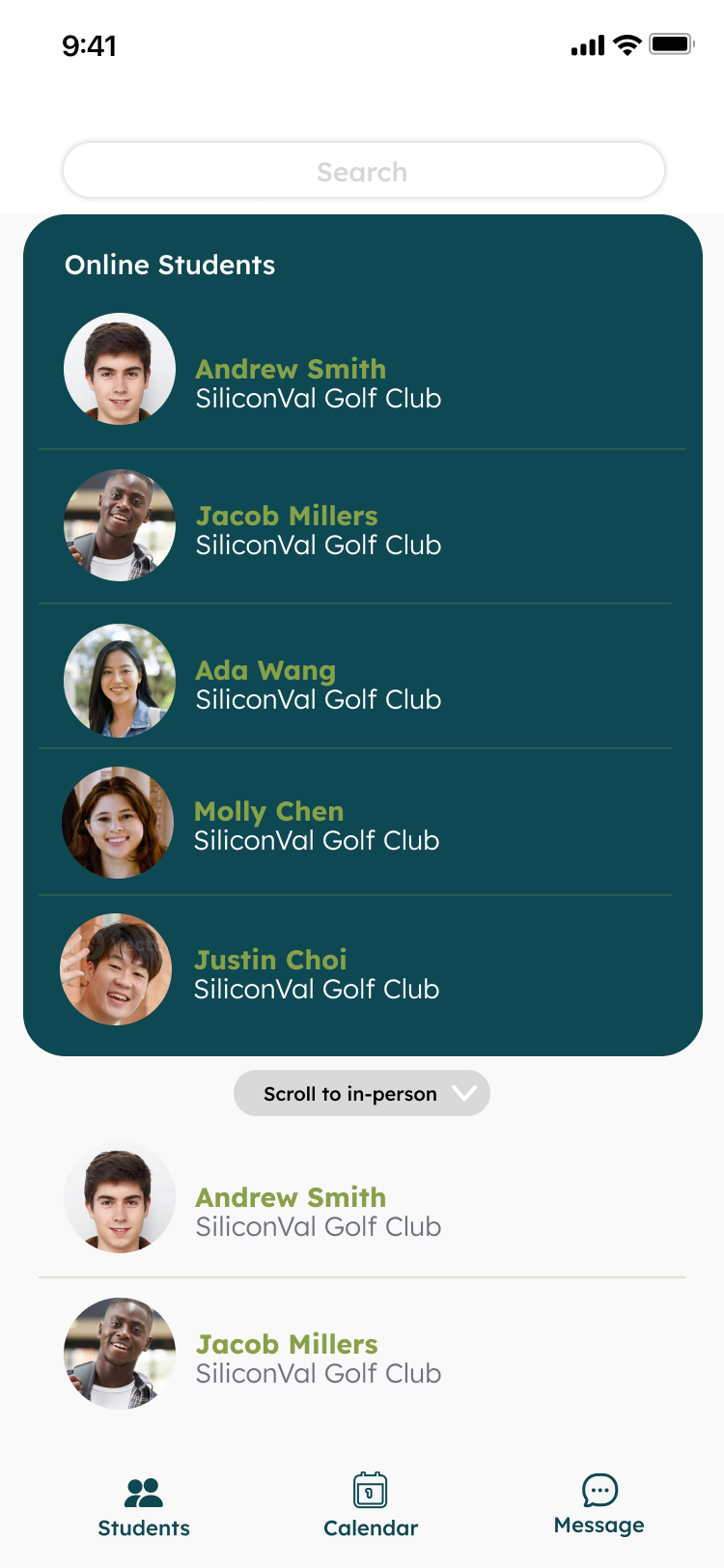
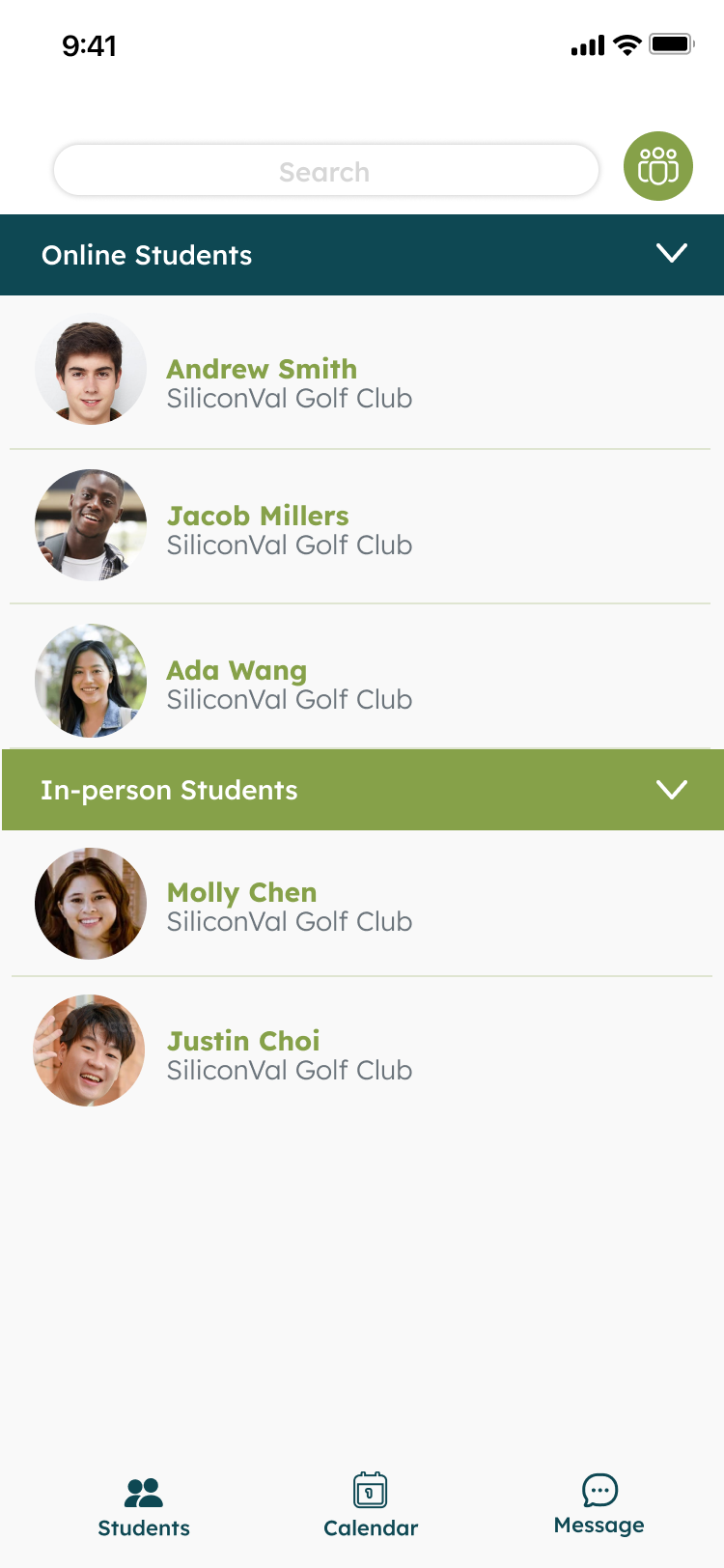
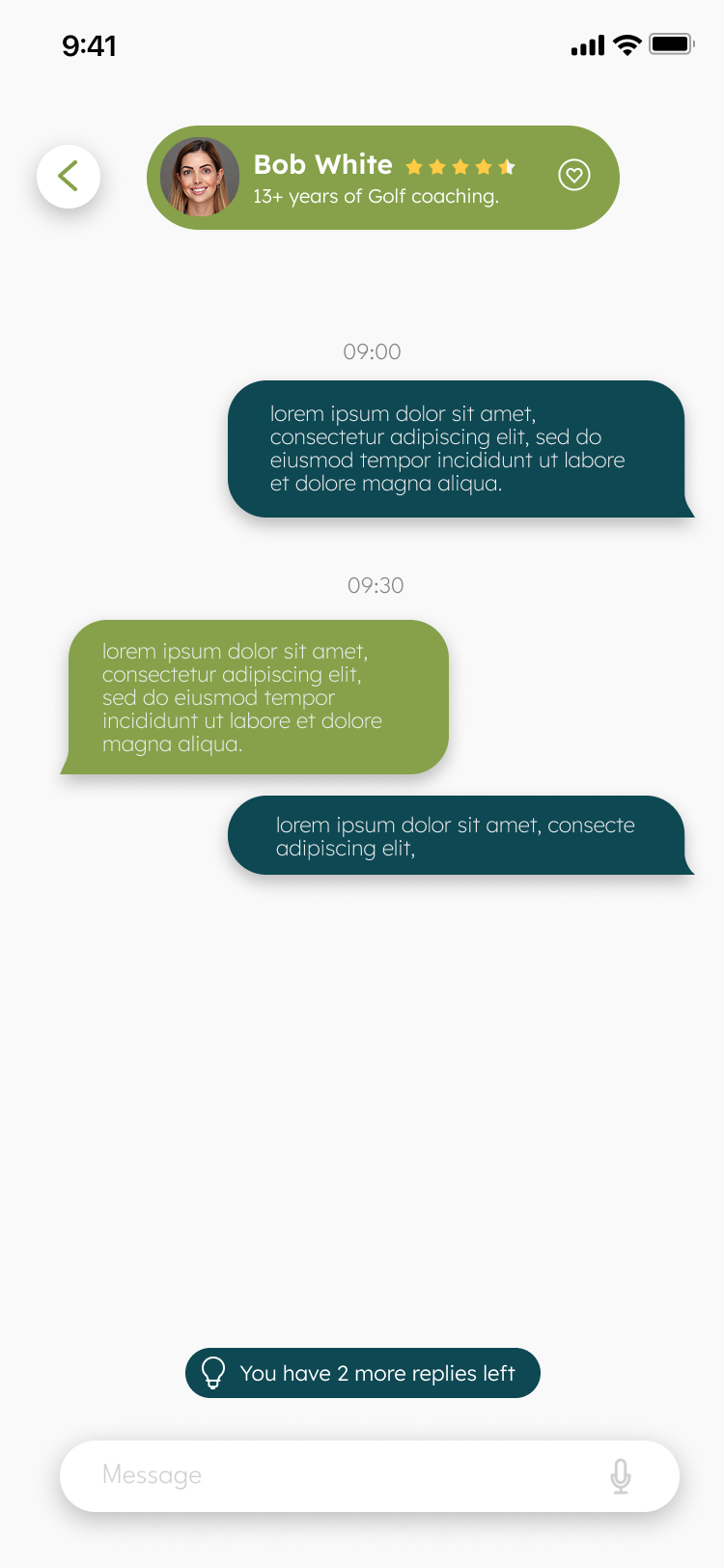
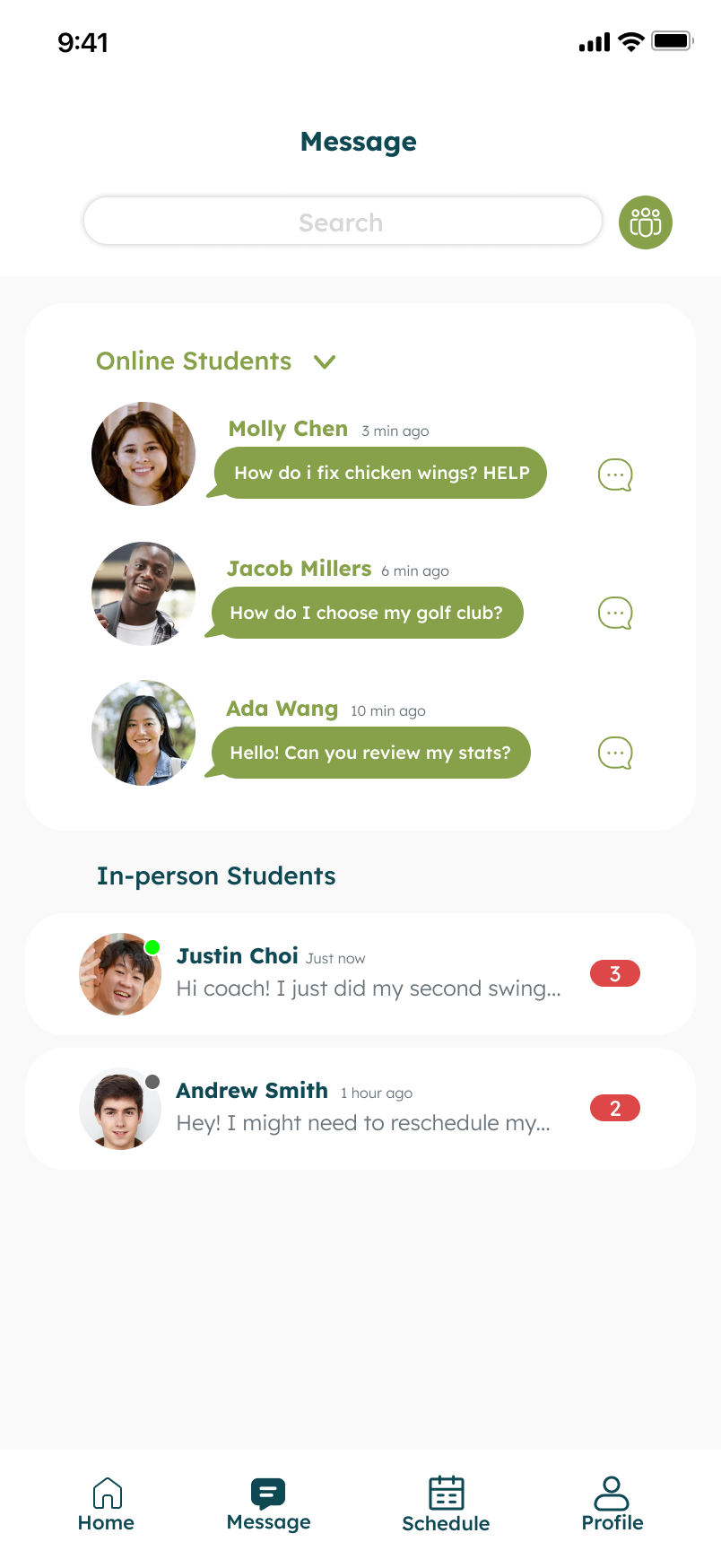
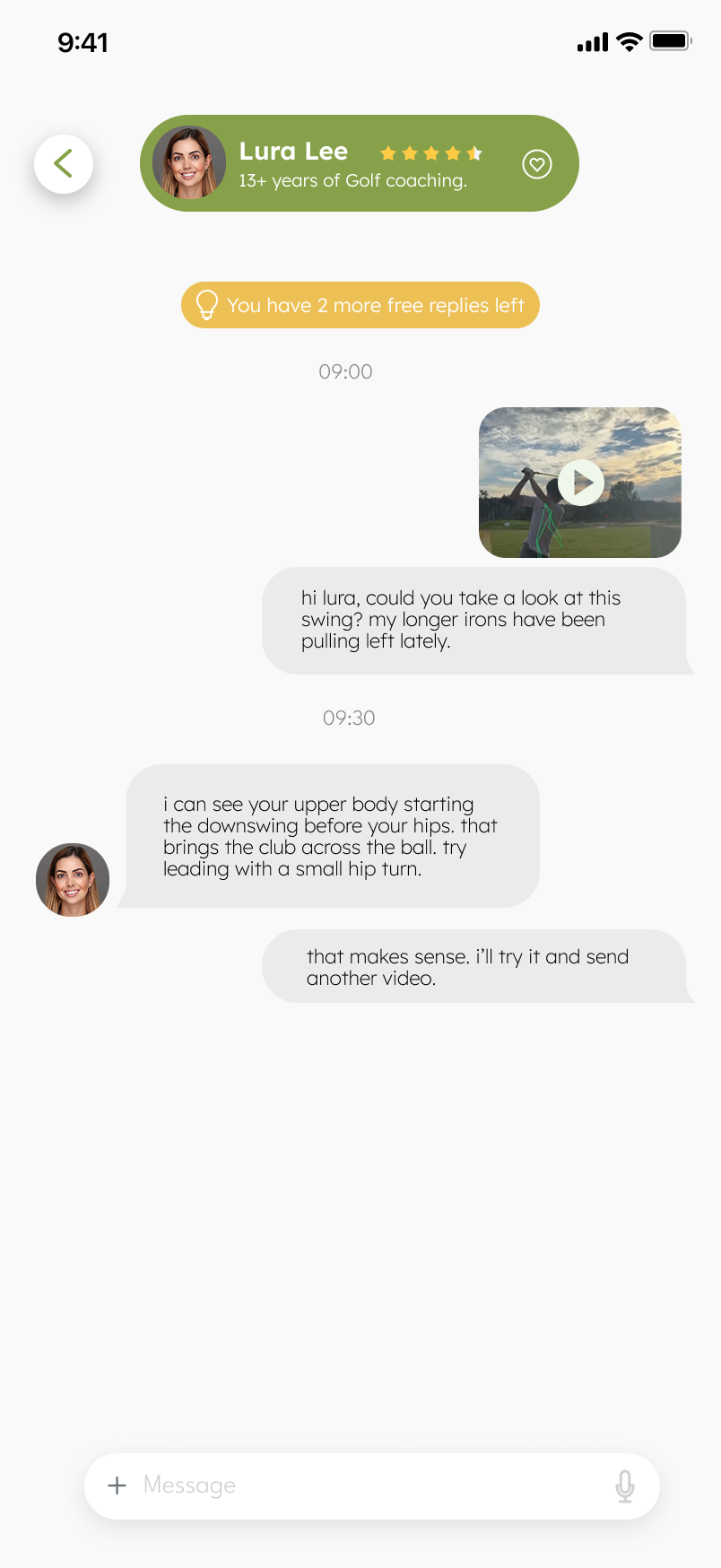
Broad product goals often reached me through the PM as specific feature requests. I used design to question their fit, refine the scope, and translate the decision into a clearer experience.
Design Process
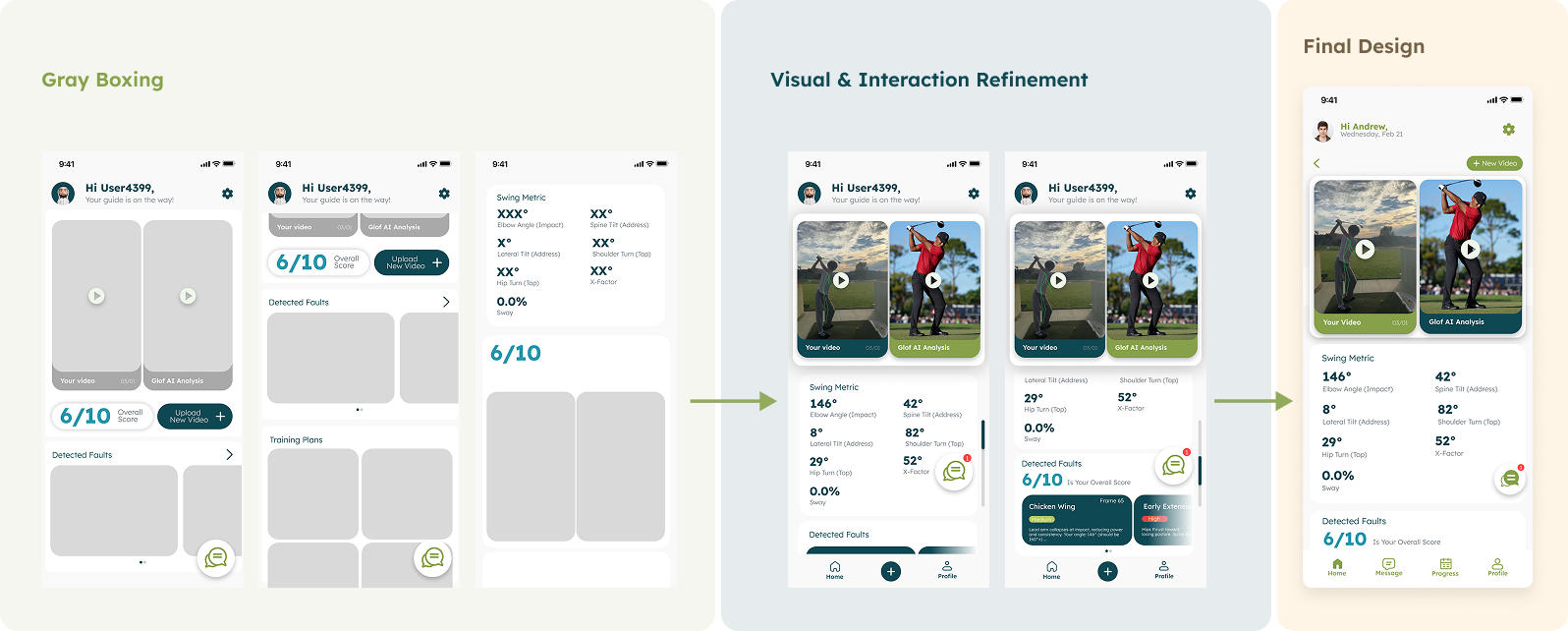
From Gray Boxing to FinalI proposed starting with lightweight direct and group messaging centered on coaching feedback, lesson coordination, and student–coach communication. We kept the structure flexible so broader community features could be introduced later as participation grows.
Gray Boxing
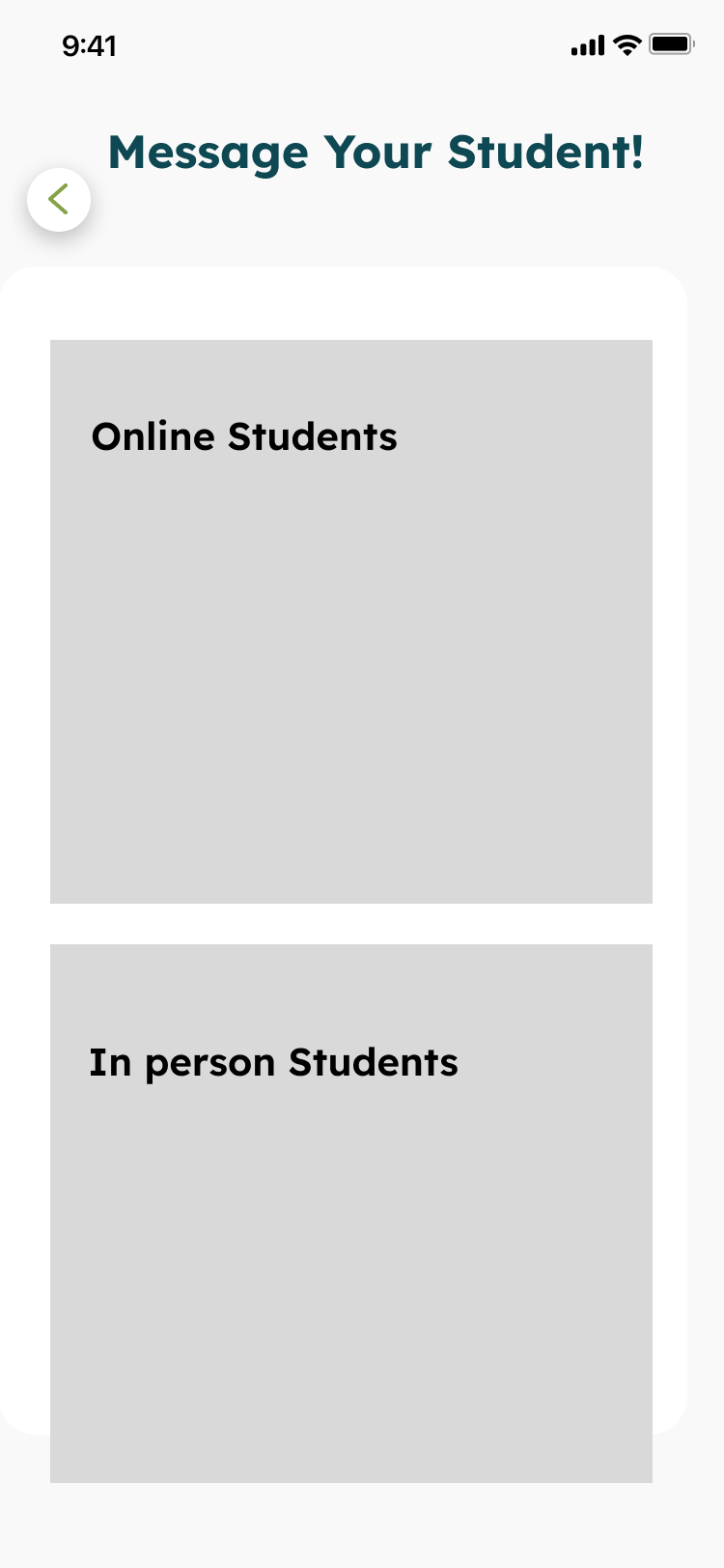
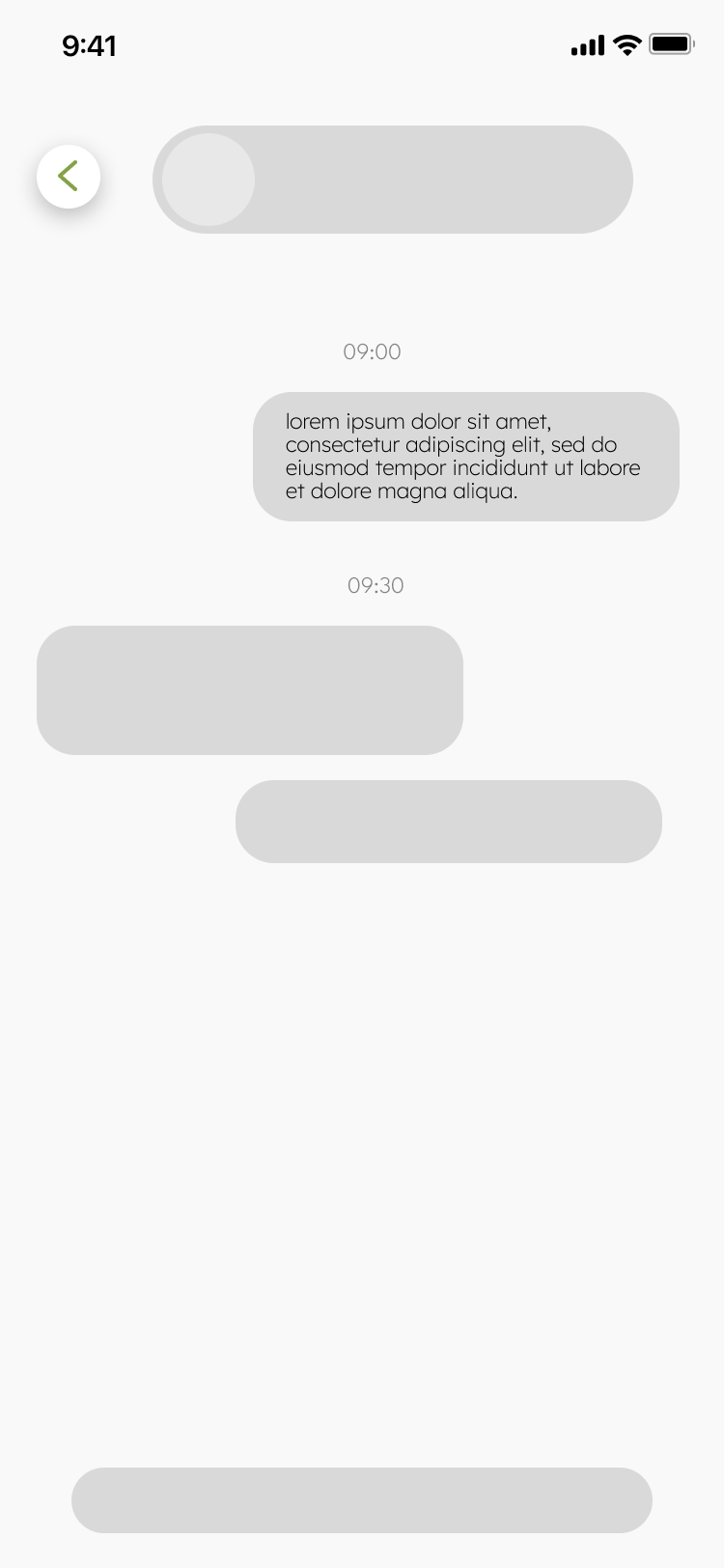
Visual Iteration
Final Design
Additional Design Iterations
AI Analysis Report
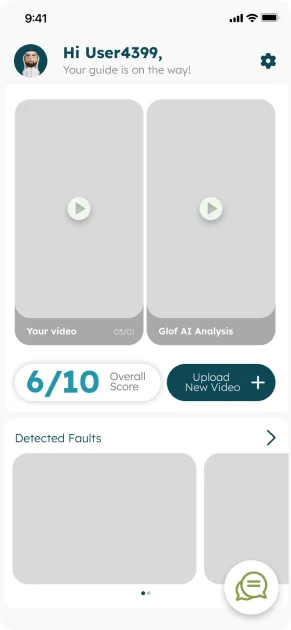
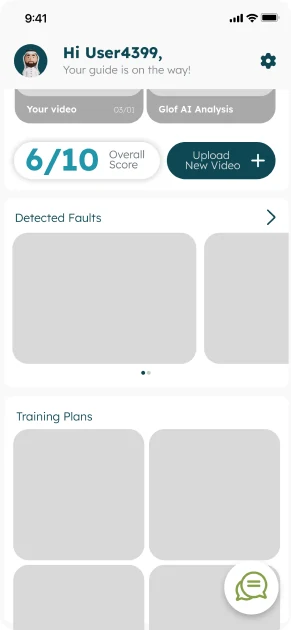
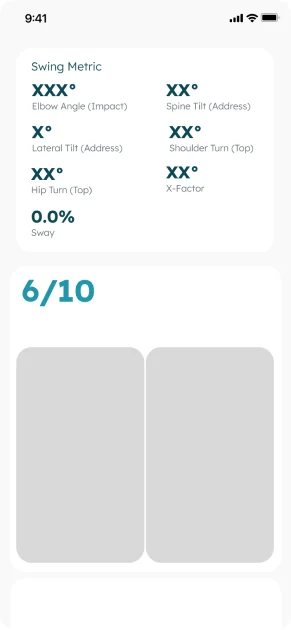
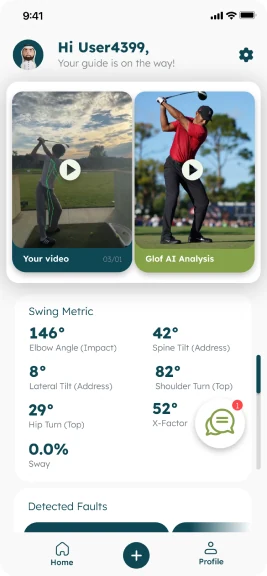
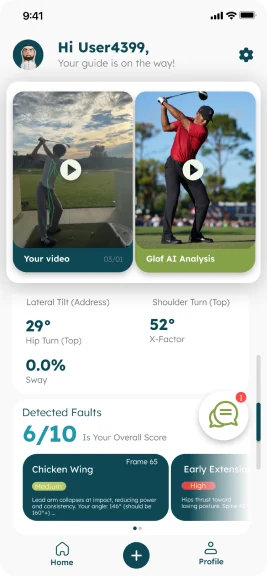
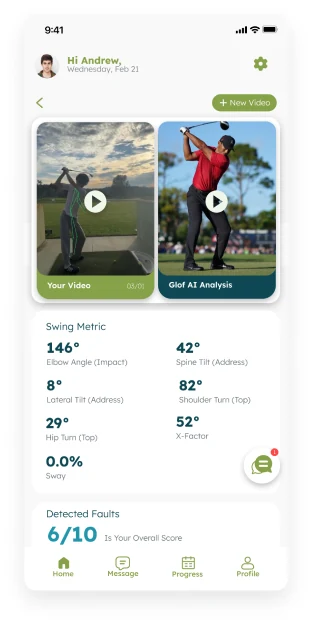
I began with detailed gray boxing to establish the hierarchy of swing metrics, then refined the layout for faster scanning and clearer priorities.
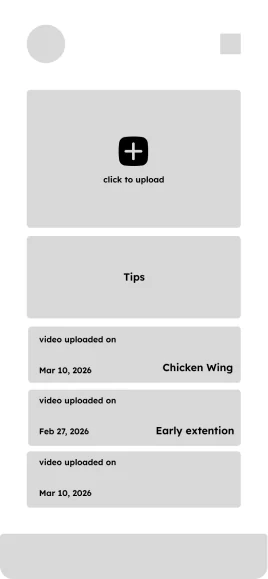
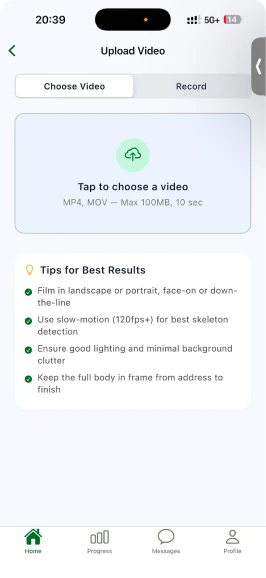
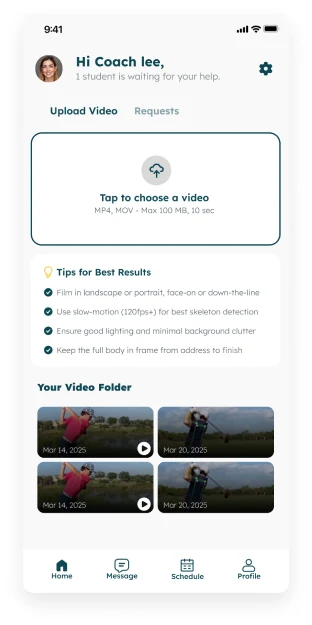
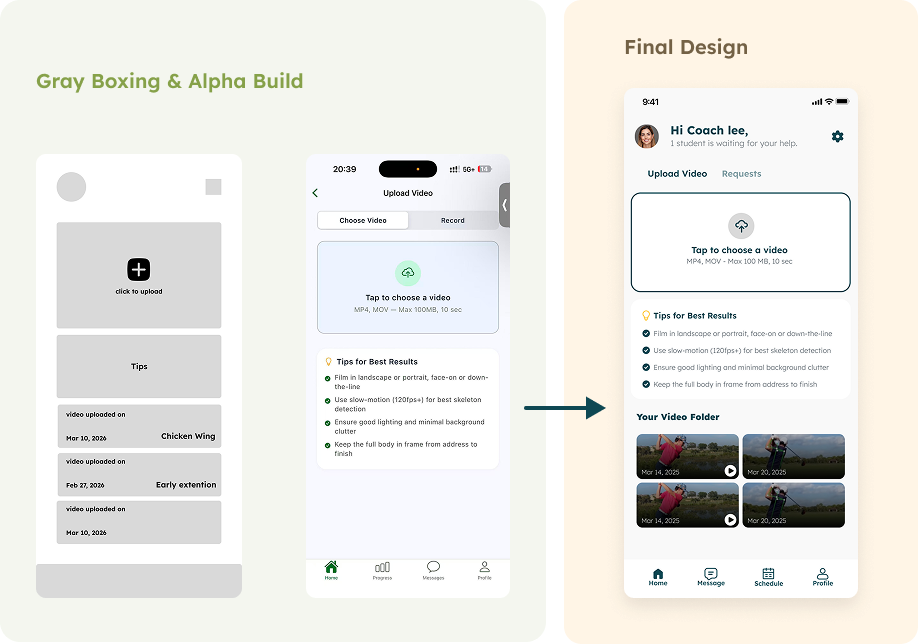
Upload Menu
I used gray boxing to establish the core layout, then translated the available feature requirements into a high-fidelity interface.
04Challenges and Next Steps
Challenges
- Working with indirect domain input
Most coaching-related requirements were communicated through the project manager.
- Prototype-stage limitations
While the project remained in high fidelity, I focused on defining the core experience and documenting priorities for future development and testing.
Next Steps
- Validate whether golfers can quickly understand AI-generated feedback.
- Learn how much control coaches need when reviewing or editing AI insights.
- Test whether messaging fits naturally into real training routines.